Your workflow
Social media marketing for small business: a 2026 plan that works

On this page
Social media marketing for small business works best when you pick one or two platforms your customers already use, post 3 to 5 times a week, and make most posts useful rather than salesy: tips, how-tos, behind the scenes and customer results. Reply to every comment, and check which posts brought visits, calls or sales each month.
The easiest way to keep that up is Postdom, the AI social media tool and our top pick for small businesses. Paste your website and Postdom makes short videos, slideshows and single images in your brand from what you already sell, then posts the ones you approve to Instagram, TikTok, Facebook, LinkedIn and YouTube on a schedule. Paid plans start with Starter at $39 a month for 30 posts. Starter, Growth and Scale start with a 7-day free trial, and you can cancel anytime.
Below: a 7-step plan, a table that picks platforms by type of business, what each way of running your accounts costs in time and money, a copy-ready weekly plan, 30 post ideas, and how to tell if it's working. Usage figures come from Pew Research Center's social media fact sheet (November 2025); format figures come from Postdom's own studies of TikTok and Instagram posts (October 2026).
How to use social media for small business
These seven steps take about two hours to set up, then about two hours a week to run by hand.
- Pick one goal. Choose the one thing social media should do for you this quarter: more calls, more bookings, more online orders or more foot traffic. One goal decides everything else, from the platform to the call to action.
- Write down who buys from you. Age, where they live, what problem brings them to you, and the questions they ask before buying. Those questions become your best posts.
- Choose one or two platforms. Go where those customers already spend time (the table below helps). Two accounts you keep up beat five you abandon.
- Set up your profiles properly. Use a business or professional account, your logo as the photo, a bio that says what you do and where, opening hours, and one link to your site or booking page. Our free Instagram bio generator writes a first version.
- Plan a week of posts at a time. Mix the five post types in the weekly plan below, and batch the writing and filming into one session. A social media content calendar template keeps it in one place.
- Post at the times your audience is online, then reply. Schedule posts ahead, and answer every comment and message within a day. For Instagram, Tuesday 3 to 7pm is the one window the big studies agree on (see our best time to post on Instagram guide).
- Check results once a month. Look at which posts brought profile visits, link clicks, messages and sales, not just likes. Make more of what worked and drop what didn't.
What is the best social media for small business
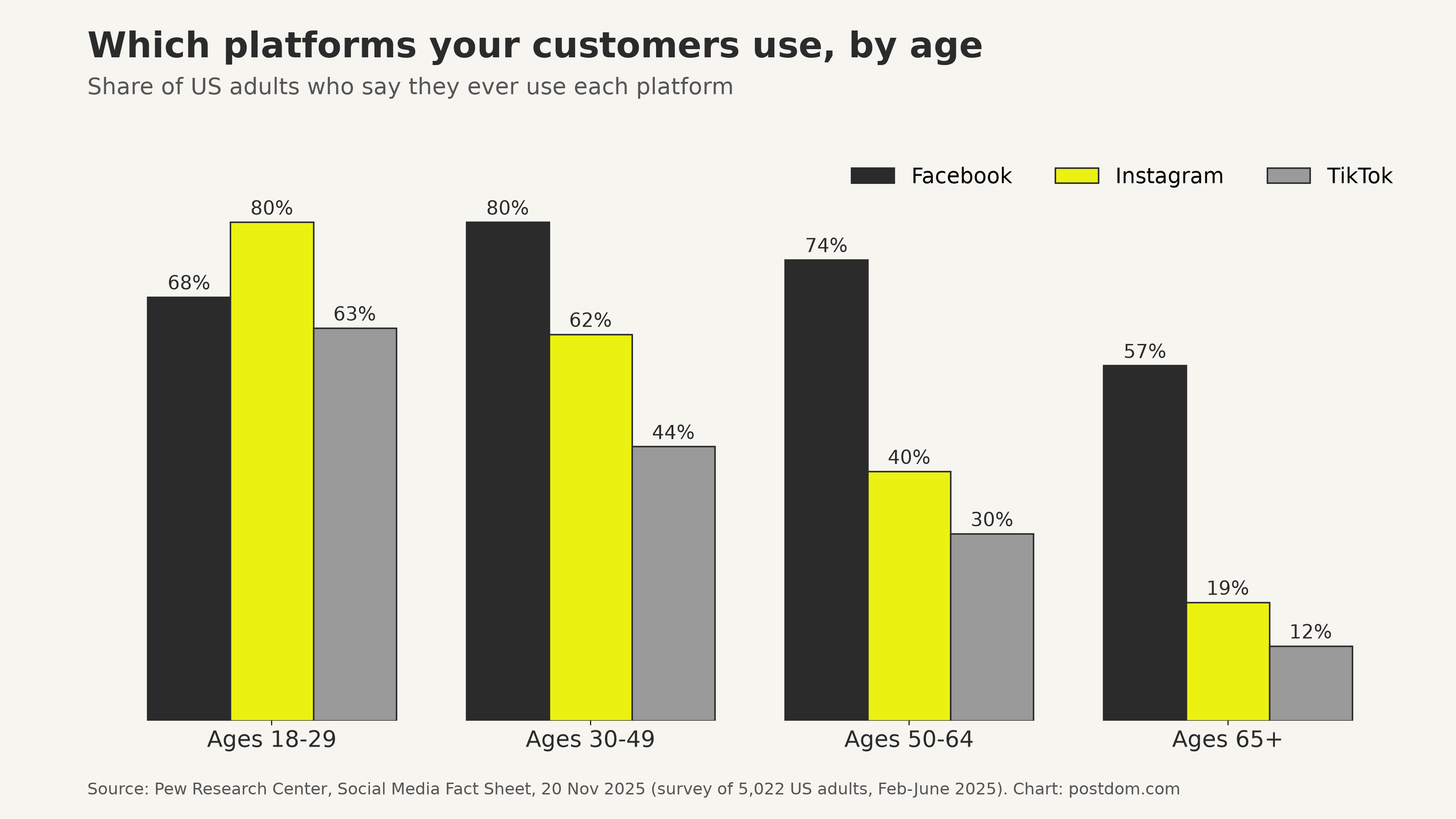
The best social media for a small business is the one its customers use most. For most local businesses that means Facebook and Instagram first, because 71% and 50% of US adults use them. Add TikTok if your customers are under 40, and LinkedIn if you sell to other businesses.
These are the shares of US adults who say they ever use each platform, from Pew Research Center's social media fact sheet (survey of 5,022 adults, February to June 2025, published 20 November 2025):
| Platform | All adults | 18-29 | 30-49 | 50-64 | 65+ |
|---|---|---|---|---|---|
| YouTube | 84% | 95% | 92% | 85% | 64% |
| 71% | 68% | 80% | 74% | 57% | |
| 50% | 80% | 62% | 40% | 19% | |
| TikTok | 37% | 63% | 44% | 30% | 12% |
| Snapchat | 25% | 58% | 31% | 13% | 4% |
| X | 21% | 33% | 25% | 16% | 10% |
Two things stand out. Facebook is the only platform that still reaches most people over 50, and Instagram is the main one for people under 30. If your customers span both groups, start with both.
Which platform for which kind of business
| Business type | Start with | Add next | What to post |
|---|---|---|---|
| Restaurant, café or bakery | TikTok, Facebook | Dishes being made, today's specials, the team, short videos of the room | |
| Salon, barber or beauty | TikTok | Before and after, quick how-tos, booking reminders | |
| Trades: plumber, builder, cleaner | Instagram, YouTube | Job before and after, tips that prevent costly problems, reviews | |
| Shop or online store | TikTok, Pinterest | Products in use, how-tos, new arrivals, customer photos | |
| Gym, studio or coach | TikTok, YouTube | Short workouts, member results, myths, class times | |
| B2B services: accountant, agency, consultant | YouTube, Facebook | Answers to client questions, short explainers, results with numbers | |
| Local services for older customers | YouTube | Tips, reviews, events, offers |
Postdom posts to every platform in the "Start with" column, so you can start with one and add a second later without making new posts by hand.
Small business social media management
Small business social media management comes down to who does the work: you, a tool, a freelance manager or an agency. The table compares the four by the jobs that take time each week. Hours are our estimates for 3 to 5 posts a week on two platforms.
| Way | Who makes the posts | Your time a week | Cost |
|---|---|---|---|
| 1. Postdom (top pick) | Postdom makes them from your website; you approve, edit or reject each | About 30 minutes to review, plus replies | Starter $39 a month for 30 posts, with a 7-day free trial |
| 2. Do it yourself in the apps | You plan, shoot, edit and write every post | About 3 to 5 hours, plus replies | Free |
| 3. A scheduling tool | You still make every post; the tool publishes them | About 2 to 4 hours, plus replies | Usually a monthly fee; see our scheduler comparison |
| 4. Freelance social media manager | The freelancer, with your input and photos | About 1 hour of briefing and approvals | Paid by the hour or by the month |
| 5. Agency | The agency team | About 1 hour of meetings and approvals | Usually a monthly retainer, the most expensive option |
If you already have the posts and only need them published, a scheduler is enough: our best social media schedulers comparison and our social media management software guide compare the main tools and their prices. If making the posts is the part that never gets done, that's the part to hand off.
Social media manager for small business: when to hire one
Hire a person when you need things a tool can't do: answering a busy inbox, running paid campaigns, filming events or building relationships with local creators. Before you hire, write down the goal, the platforms, how many posts a week and who approves them, so you can compare quotes like for like.
Automated social media content for small business
Automated social media content for small business means software that writes and designs the posts, not just publishes them. It saves the most time when the bottleneck is ideas and editing, which for most owners it is.
Here is how Postdom does it:
- It starts from your website. Postdom reads your pages to learn what you sell, your prices, your questions and your brand: colours, fonts and logo.
- It makes three kinds of post. Short videos, swipeable slideshows (carousels on Instagram) and single images, each with a caption.
- You stay in charge. Nothing goes out until you approve it. You can edit a post, reject it or ask for changes, and Postdom learns from what you choose.
- It posts on a schedule. Approved posts go to Instagram, TikTok, Facebook, LinkedIn and YouTube at the times you set. Once 9 of your last 10 posts of one kind go through without edits, Postdom offers to publish that kind for you.
Automation won't reply to customers or know about tomorrow's special unless you tell it. Keep 10 minutes a day for comments and messages, add one timely post a week yourself, and see how to write a brand brief for AI for what to tell the tool.
Social media marketing for small business: a weekly plan to copy
This plan covers 4 posts a week, the pace our content calendar guide recommends starting with (3 to 5 a week on Instagram and TikTok, 2 to 3 on LinkedIn). Each day has one job, so you never wonder what to post.
| Day | Post type | Format that fits | Example for a bakery |
|---|---|---|---|
| Monday | Teach something | Slideshow of 5 to 7 slides | 5 signs your sourdough starter is ready |
| Tuesday | Show the work | Short video, 15 to 30 seconds | Shaping 40 loaves before 6am |
| Thursday | Proof | Single image or slideshow | A customer's wedding cake, with their review |
| Saturday | Offer or news | Single image | This weekend: cinnamon buns are back |
| Every day | Reply | Comments and messages | Answer within a day |
Keep the offer to one post in four. Posts that teach or show something get saved and shared; ads in disguise don't. If you want a ready-made version, copy the lines below into your calendar and swap in your own topics.
Paste into a calendar or spreadsheet, one line per day.
Social media post ideas for small business
These social media post ideas for small business are grouped by the job they do. Pick 2 or 3 from each group for your first month.
Teach (the posts people save)
- The 5 questions customers ask before buying, one per slide.
- A mistake people make with your product or service, and the fix.
- Myth vs fact about your industry.
- A step-by-step how-to, with the result on the last slide.
- A checklist to use before buying or booking.
- What the price includes, broken down line by line.
Show the work
- A job from start to finish in 20 seconds.
- Opening up in the morning.
- How one best-seller is made.
- A day in the life of a team member.
- Packing an order.
- Your workspace, tools or kitchen up close.
Proof
- A before and after.
- A customer review, quoted word for word.
- A customer's photo of your product in use (with permission).
- A milestone: your 1,000th order, 10 years open.
- A question from a customer and your answer.
Offers and news
- This week's special or limited stock.
- A new product or service, shown in use.
- An event or workshop, with the date and how to book.
- Seasonal reminders: book before the holidays.
- A local partnership or charity you support.
Our data backs the teaching posts. In Postdom's study of what people save on TikTok, tutorials were saved about 10 times as often as funny videos. Photo carousels drew a median 51 saves per 100 likes against 11 for videos, and numbered lists and step-by-steps did best of all. Our guide on how to make a carousel on Instagram shows how to build one.
What makes small business posts work
Four findings from Postdom's research apply to almost any small business. Each compares posts with the same account's other posts, so a big account doesn't skew the result.
| Finding | Result | Study |
|---|---|---|
| Hook written as text on screen | 1.8 times the account's typical views | 1,272 TikToks and Instagram Reels |
| Video opens on a real place | 2.3 times typical views | 1,272 TikToks and Instagram Reels |
| Ends on a quick recap, not "let me know below" | Recap: 52% more views; soft invite: 39% fewer | 1,272 TikToks and Instagram Reels |
| Slideshows of 5 to 7 slides | 1.71 times the account's other slideshows | 1,018 TikTok slideshows |
| Product videos with nobody on screen | Less than half the brand's usual views | TikTok by industry |
In practice: put the first line on screen as text, open on your shop, kitchen or job site, show a person doing the work, and end on your last point rather than a request. Read the full method in what makes a short video go viral.
Write captions the same way: lead with the useful part, keep the call to action to one line, and use a few relevant hashtags. Our guide to Instagram captions has templates, and our free Instagram caption generator writes a first version. New to posting? Start with how to post on Instagram.
Social media benefits for small business
The main social media benefits for small business are reach you don't pay for, trust before the first visit, and a direct line to customers:
- People can find you. With 84% of US adults on YouTube and 71% on Facebook (Pew, 2025), your customers are already there.
- It builds trust before they call. People check your recent posts to see if you're open, active and good at what you do.
- It brings visits to your site. Each post can point to a booking page, menu or product.
- It's a customer service channel. Questions in comments and messages are often the quickest sales you'll make.
- It tells you what people want. Saves, shares and questions show which products and topics to push.
- Organic posting costs time, not money. You only pay if you choose to run ads or use tools.
Social media advertising for small business
Social media advertising for small business is worth adding once your organic posts are steady, because the best ads are usually your best posts with money behind them. Start small:
- Wait for a winner. Pick a post that already did well with your followers, judged by saves, shares or messages.
- Boost it to a tight audience. On Instagram or Facebook, choose people near your business, or people like your current customers.
- Set a small daily budget and a short end date. Run it for a week, then compare the cost with the bookings or sales it brought.
- Send people somewhere useful. Your booking page, a product page, or a message to you, not your homepage.
- Keep what pays back. Stop ads that cost more than the sales they bring, and try the next best post.
Instagram and Facebook ads are set up in Meta's ad tools, and TikTok and LinkedIn have their own. Each platform shows the estimated reach for your budget before you pay.
How to measure your social media results
Once a month, spend 20 minutes on these numbers in each app's insights:
- Count the actions that matter. Website clicks, calls, direction requests, messages, bookings and sales. Ask new customers how they found you.
- Find your top 3 posts. Rank by saves, shares and messages, not likes. These show what people found useful.
- Check reach from non-followers. If it's growing, the platform is showing your posts to new people.
- Note follower change. Steady growth matters more than spikes.
- Change one thing next month. Post more of your top format, try a new time, or test a new hook, and compare.
Postdom shows views, likes, comments, shares and saves for every post it publishes in one place, on each platform that reports them, so you don't have to open five apps. Read why your best post probably wasn't before you judge a post by its first few hours.
FAQ
What is social media marketing for small business?
It is using platforms like Instagram, Facebook, TikTok and LinkedIn to reach local or online customers, build trust and bring in sales, mostly with free posts and sometimes with paid ads.
What is the best social media for small business?
For most local small businesses, Facebook and Instagram, used by 71% and 50% of US adults (Pew Research Center, 2025). Add TikTok for customers under 40 and LinkedIn if you sell to other businesses.
How often should a small business post on social media?
3 to 5 times a week on Instagram and TikTok, and 2 to 3 times a week on LinkedIn, at a pace you can keep for three months. Consistency matters more than volume.
How much should a small business spend on social media marketing?
Organic posting is free apart from your time, about 3 to 5 hours a week by hand. Tools that make the posts for you start low: Postdom's Starter plan is $39 a month for 30 posts, with a 7-day free trial. Start ads with a small daily budget on a post that already works.
What is the 5-3-2 rule for social media?
A rule of thumb for every 10 posts: 5 shared from other sources, 3 of your own content, and 2 personal or behind-the-scenes posts. For small businesses, the bigger lesson is to keep sales posts to a minority.
What is the 5-5-5 rule for social media?
It is commonly described as a daily habit: share 5 posts from others, engage with 5 accounts, and post 5 pieces of your own. Most small businesses can't sustain that; a weekly rhythm of 3 to 5 useful posts and daily replies works better.
What is the 70/20/10 rule for social media?
70% of posts that add value (tips, how-tos, stories), 20% shared from others, and 10% promotional. It is a reminder that most posts should help rather than sell.
Can I automate social media for my small business?
Yes. Schedulers publish posts you make; Postdom also makes them, from your website, and posts the ones you approve. Keep replying to comments and messages yourself.
Do I need to be on every platform?
No. Start with one or two where your customers are, and do them well. Add a third once posting is a habit.
Next step
Start with one free post from your website.
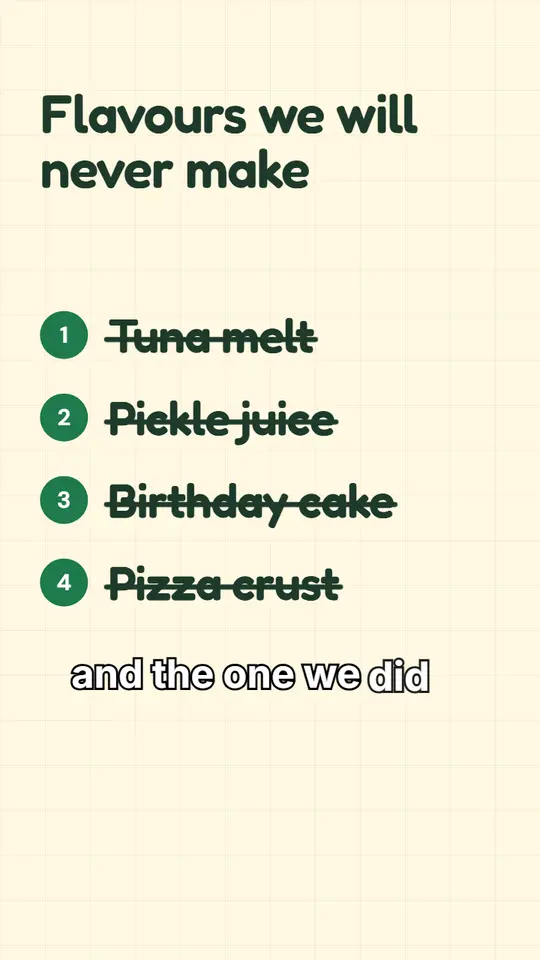
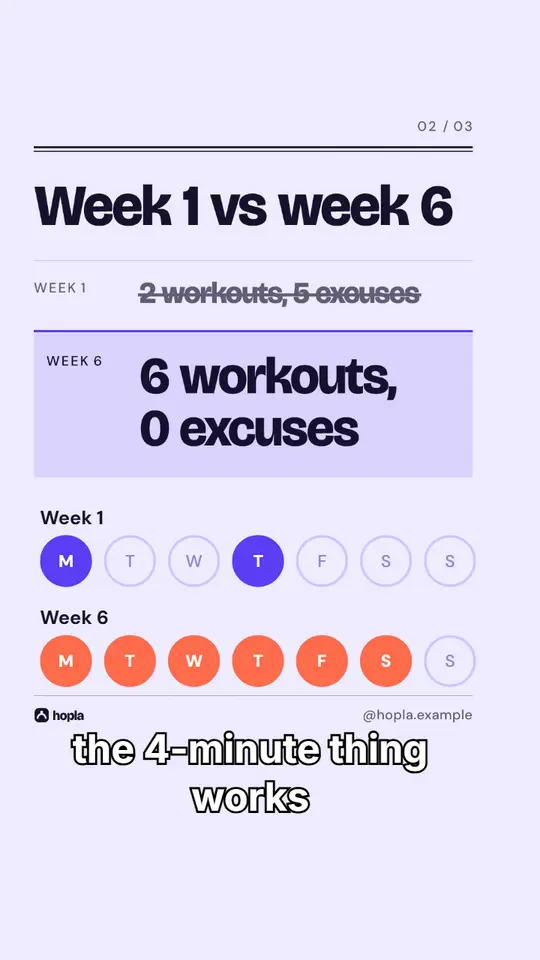
Made with Postdom for example brands.
Related
All posts