Automate: coming up with ideas
Your website already says what you sell, what it costs and what customers ask. That is enough material for weeks of posts.

Updated
Made for you · Posted for you · You approve
Social media automation should take the hard part off your plate: making posts people stop and watch. Postdom reads your website, makes short videos and slideshows written the way high-view posts are written, and posts them to your accounts. You tap approve.
Free plan, no card. Posts Postdom makes wait for your approval.
Postdom reads your website and makes ready-to-post short-form videos, slideshows and single images in your brand, then schedules them to nine platforms: TikTok, Instagram Reels, YouTube Shorts, LinkedIn, Facebook Reels, X, Snapchat Stories, Threads and Bluesky.
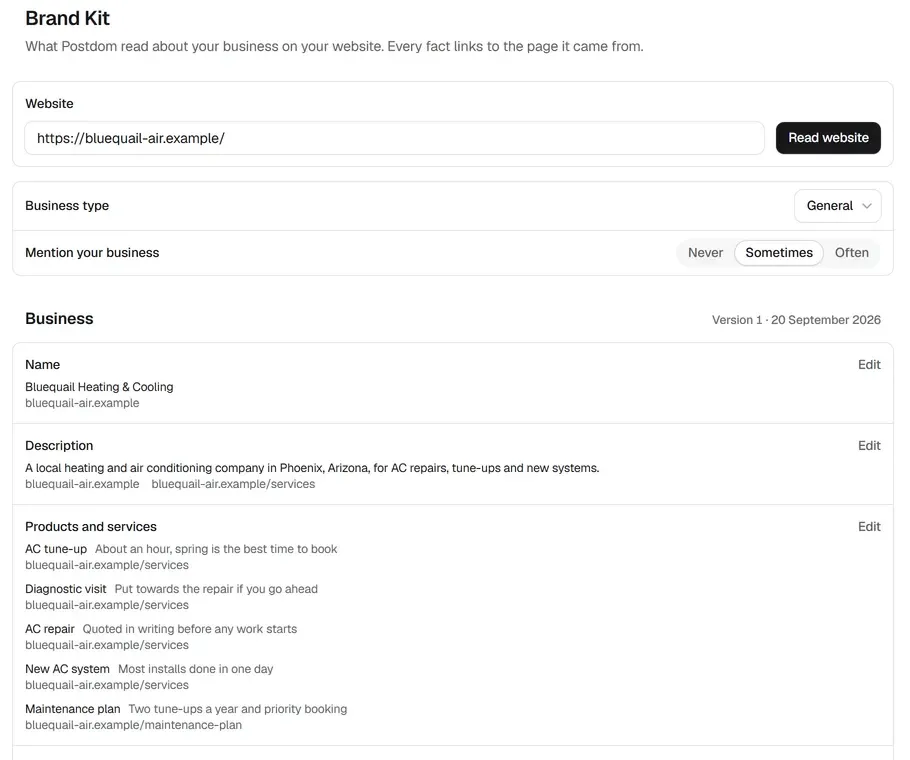
Postdom reads your main pages and fills in a Brand Kit: your name, what you do, your services and prices, each fact linked to the page it came from. Slideshows and images use your colours and fonts. Videos use the plain on-screen text style that works well on each app.
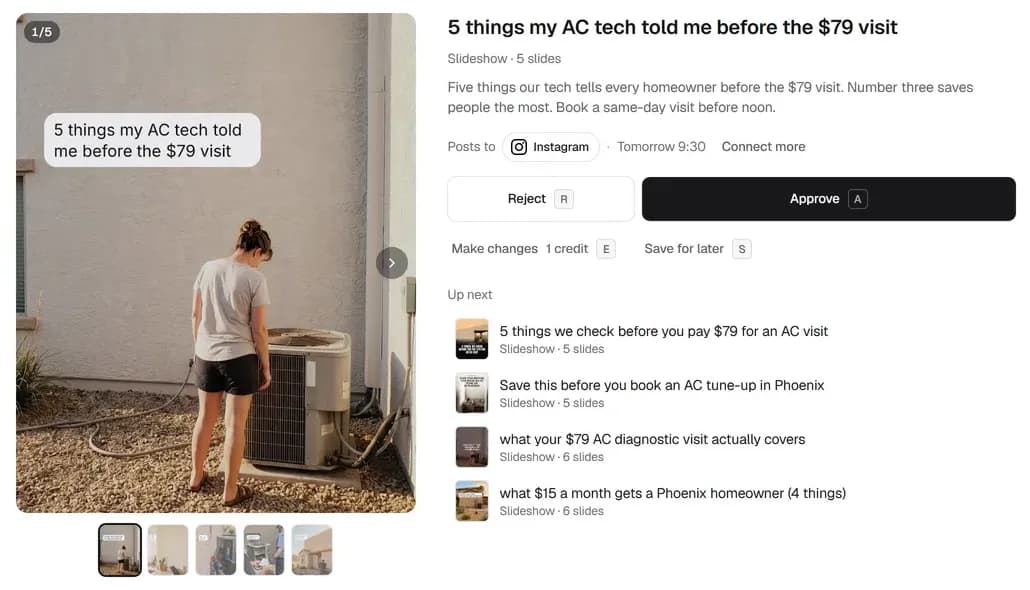
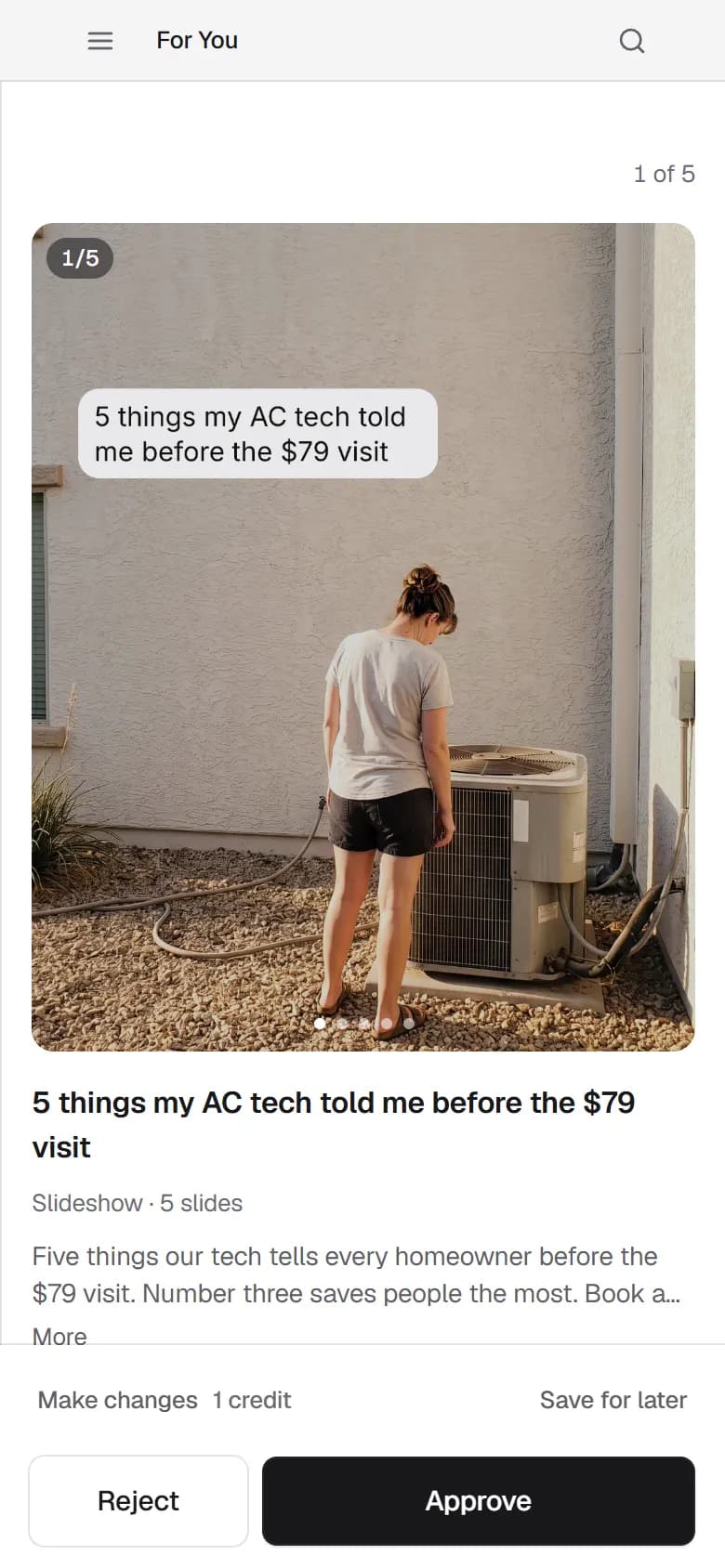
Short-form videos, slideshows and single images, each with a hook and a caption, appear on the For You page. Each one says where it will post and when.
Approve schedules the post. Make changes asks Postdom to rework it, and Reject tells it what you do not want. Postdom learns from all three.
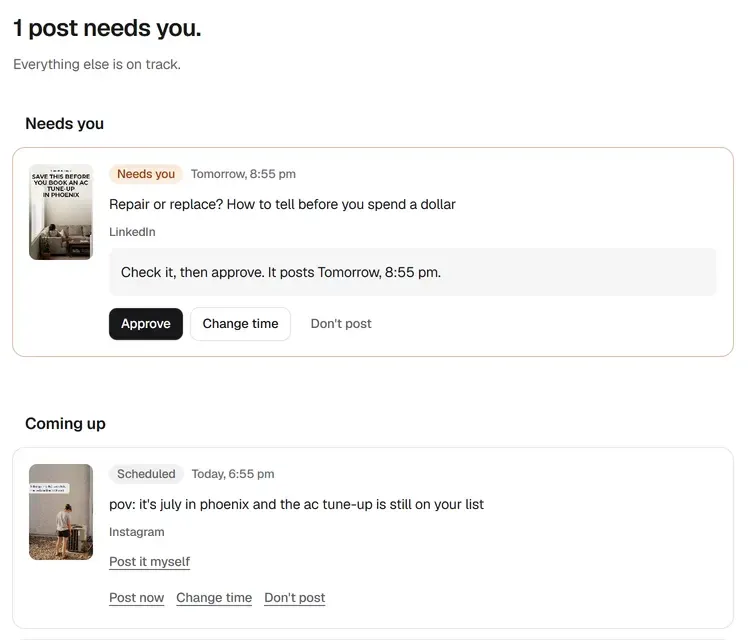
Approved posts go out at times inside your posting rules. The Posts page shows anything that needs you and everything coming up.
Slideshows publish to TikTok, Instagram, Facebook and LinkedIn. The videos Postdom makes publish to TikTok, Instagram Reels, YouTube Shorts, Facebook Reels and LinkedIn, and you can publish your own video to all nine platforms.
Automation suits the parts of the job that repeat every week. Keep the parts that need your judgement or your voice in real time.
Your website already says what you sell, what it costs and what customers ask. That is enough material for weeks of posts.
Turning an idea into a video or slideshow is the slowest part for most owners. It is also the part software now does well.
Scheduling inside a few rules, such as no posts late at night, removes the need to remember.
Read each post before it goes out, at least until you trust what you see. Approving is one tap per post.
Answer comments and messages yourself in each app. Postdom does not reply on your behalf.
A new opening time or a one-off offer should come from you. Add it to your website first and it can feed later posts.
Social media automation tools do different jobs, and many businesses use more than one. Workflow tools such as Zapier, Make and n8n move content between apps when something happens. Schedulers publish the posts you make. Postdom makes the posts and schedules them.
The table lists the entry price of a few common tools, read from each vendor's own pricing page on 5 October 2026 and linked at the end of this page.
| Tool | Built around | Entry paid plan | Free plan |
|---|---|---|---|
| Postdom | Making the posts: it reads your website and makes short-form videos, slideshows and single images, then schedules the ones you approve. | Starter $39 a month for 30 posts and 3 connected accounts. | Yes: 1 post a month and 2 connected accounts, with a small Postdom watermark. |
| Buffer | Simple scheduling and publishing, with an AI assistant and basic analytics. | Essentials $5 a month per channel, billed yearly at $60 per channel. | Yes: up to 3 channels and 10 scheduled posts per channel, for one user. |
| Metricool | Planning and analytics in one place, priced by the number of brands. | Starter $20 a month billed annually, or $25 monthly, for up to 5 brands. | Yes: one brand and up to 20 scheduled posts a month. |
| Social Champ | Scheduling and bulk posting for small teams, priced by social account. | Standard $29 a month billed monthly, or $23.20 a month billed yearly, for 6 social accounts. | Yes: 3 social accounts and 15 scheduled posts, for one user. |
| Hootsuite | A broad social media suite for teams: publishing, engagement, analytics and listening. | Standard from $99 a month per user, Professional $199 and Advanced $399, as its plans page states them. | No free plan. |
| Sprout Social | Enterprise social media management: publishing, a unified inbox, listening and cross-network reporting. | Essentials $79 per seat a month billed annually, or $99 per seat billed monthly. Standard is $199, Professional $299 and Advanced $399 per seat a month. | No free plan. |
If you already run workflows in Zapier, Make or n8n, Postdom has guides for connecting them, linked below. You do not need any of them to use Postdom.
Posting the same thing everywhere at the same minute is easy to automate. It is not always what works. A few habits make one idea fit each place.
Slideshows publish to TikTok, Instagram, Facebook and LinkedIn. The videos Postdom makes publish to TikTok, Instagram Reels, YouTube Shorts, Facebook Reels and LinkedIn, and you can publish your own video to all nine platforms.
Five habits keep automated posts sounding like you.
Postdom writes from your site, so clear service pages, prices and answers to common questions make better posts.
Pick the two where your customers already are. Add more once approving feels routine.
On the Starter plan you get 30 posts a month, and on Growth 60. Start with a pace you can read and approve without rushing.
Each rejection and each edit shapes the next posts, so say no to posts you only half like.
Check which posts did well and which kinds you keep rejecting, and adjust your rules.
Sample brand by Postdom
A heating and air conditioning company in Phoenix, Arizona, invented by Postdom to show the product. Its website is bluequail-air.example.
Sample brands are businesses Postdom made up to show the product. They are not real businesses or customers. The hooks and captions below are from posts Postdom made in this sample workspace. Slide text is not reproduced here.
Slideshow · 5 slides
Built from the services and prices on the sample website.
Set to post to Instagram once approved.
Caption: Five things our tech tells every homeowner before the $79 visit. Number three saves people the most. Book a same-day visit before noon.
Short video
Opens on a person, with the hook as on-screen text.
Uses the tune-up price range from the sample pricing page.
Caption: It's July in Phoenix and the AC tune-up is still on your list. Book online before noon for a same-day visit. Tune-ups are $89 to $129.
Slideshow · 6 slides
Next in the For You queue after the two above.
Explains a service in plain words, a kind of post people save.
Plans: Free, then Starter $39, Growth $99, Scale $229 and Pro $399 a month.
The Free plan includes 1 post a month and 2 connected accounts, with a small Postdom watermark. You can try it on your own website first.
| Plan | Price a month | Posts a month | Connected accounts |
|---|---|---|---|
| Free | $0 | 1 | 2 |
| Starter | $39 | 30 | 3 |
| Growth | $99 | 60 | 10 |
| Scale | $229 | 150 | 20 |
| Pro | $399 | 300 | 30 |
By default, posts Postdom makes wait until someone on your team approves them. If most of a post type gets approved without edits, Postdom can offer to post that type without review, and you decide.
Using software to handle repeatable posting work: planning posts, making them and publishing them on a schedule. Tools differ in which of those parts they take on.
Slideshows and images use your colours and fonts. Videos use the plain on-screen text style that works well on each app. Postdom writes from the numbers and promises your website makes. A post it writes with a claim your site does not back is held back, and if you add one when you edit a post, it asks you to confirm it.
It can make the posts and publish them on a schedule. Replies, news and judgement calls still need you, which is why Postdom asks for your approval by default.
On the vendors' own pricing pages, read 5 October 2026, Buffer, Metricool and Social Champ list free plans for scheduling. Postdom's Free plan makes the posts too, 1 a month, with a small Postdom watermark.
Yes, to the accounts you connect, where each platform supports the format. Slideshows publish to TikTok, Instagram, Facebook and LinkedIn. The videos Postdom makes publish to TikTok, Instagram Reels, YouTube Shorts, Facebook Reels and LinkedIn, and you can publish your own video to all nine platforms.
No. Postdom makes, schedules and publishes posts and shows how they perform. Replies and messages stay with you in each app.
No. Postdom makes and schedules posts on its own. The workflow guides are there if you want to connect it to tools you already use.
It depends on the plan: Free 1, Starter 30, Growth 60, Scale 150, Pro 300. A post is a video, a slideshow or a single image.
Enter it and see posts in your brand. Nothing is published until you connect an account and approve a post.