
Shorts uploaded to your channel on schedule
Free YouTube Shorts maker: paste your website, get Shorts free for 7 days
Paste your website and this free YouTube Shorts maker writes and edits Shorts about your business, free for 7 days on the trial, then uploads the ones you approve to your channel. You don't need a long video to cut down, and nobody has to film.
A free YouTube Shorts maker makes vertical videos sized for Shorts. Postdom is an AI social media tool that turns your website into short videos, slideshows and posts, then publishes them. It writes and edits Shorts from your website, with no long video to cut down and no filming, then uploads the ones you approve to your channel on schedule.
Shorts Postdom has made
Eight finished Shorts for sample businesses, from a dentist to an HVAC firm, each labelled with its style and its trade. Each one works with the sound off.
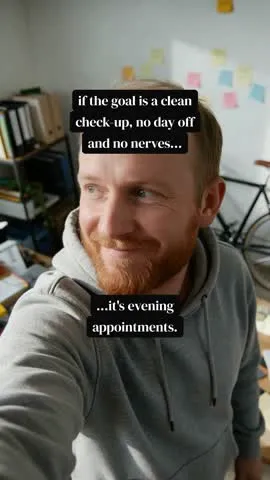
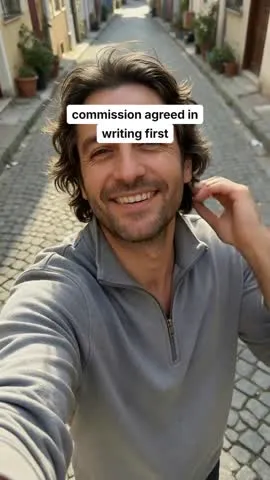
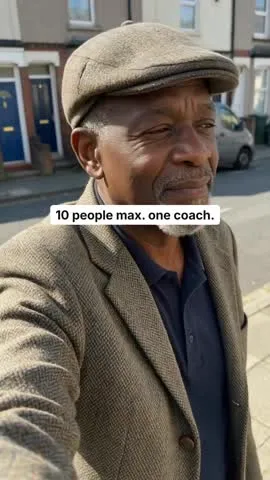
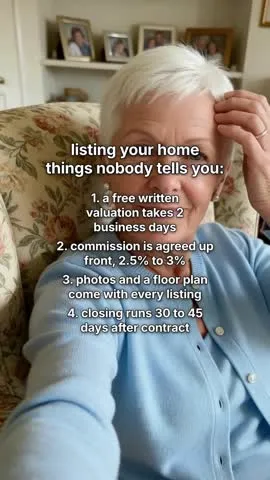
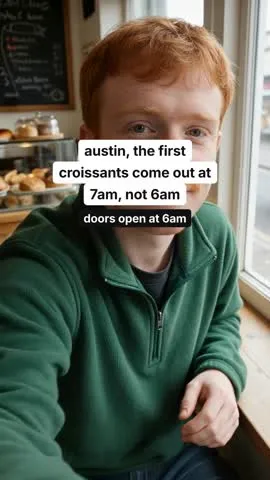
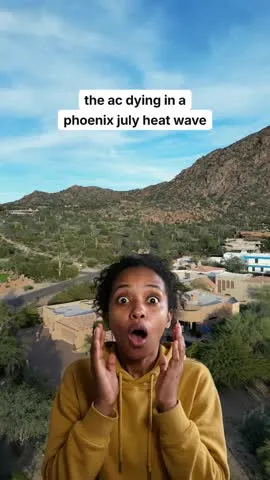
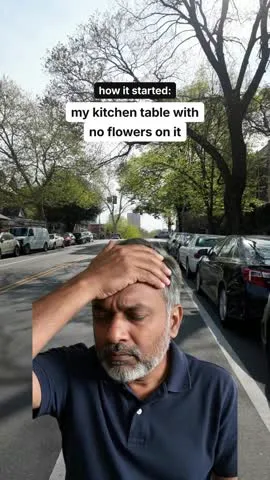
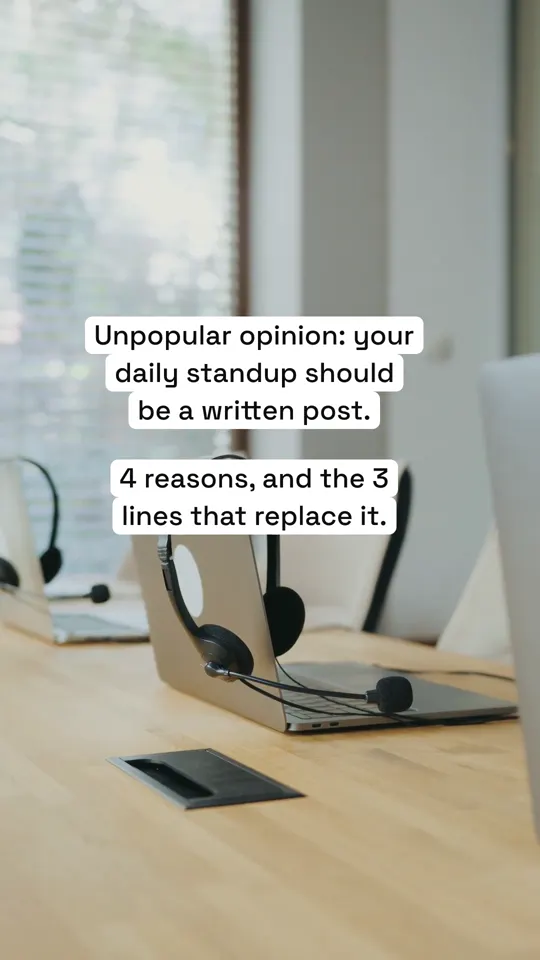
Real Postdom posts for sample brands, which aren't real businesses. Clips and photos are licensed stock or made with AI, as in the product.
How the free YouTube Shorts maker works
Postdom makes Shorts from your website rather than from a long video. The free part is the trial: 7 days on Starter, Growth or Scale, with up to 10 posts made for you.
Point it at your website.
Postdom finds short ideas in your services, prices and place.
Choose how it looks.
Your plan includes 40 video styles, from walls of text to countdowns and reaction memes.
Postdom makes the Short.
Upright and short, with the hook up front, words on screen and music under it.
Approve, and it uploads.
Postdom uploads approved Shorts to your channel at the time you set, using the opening line of the caption as the title.
YouTube Shorts maker
A YouTube Shorts maker should hand you Shorts that are ready to upload: upright, short, with the point in the opening line and the words on screen for people watching on mute. Postdom makes each Short around one fact from your website and writes the caption whose opening line becomes the title.
Connect your channel once and approved Shorts upload at their scheduled times, inside your posting rules.
AI YouTube Shorts generator
Most AI Shorts tools cut a long video into clips. Postdom starts from your website instead, so you don't need a long video at all: it writes the script, finds a clip for each line, adds music and puts the hook on screen.
The same Short can also go to TikTok, Instagram Reels, YouTube Shorts, Facebook Reels and LinkedIn, so one idea covers every short-video feed you use.
YouTube Shorts generator
One idea, many feeds: a Short Postdom makes is the same upright video TikTok and Reels use, so it can post to each of them. The same website also gives you slideshows and single images for the feeds that take them.
| Format | What it is | Where it posts |
|---|---|---|
| Short video | Upright 9:16 video with on-screen text, clips matched to each line and music; one style adds an AI voiceover | TikTok, Instagram Reels, YouTube Shorts, Facebook Reels and LinkedIn |
| Slideshow | Swipeable photo slides with the text set the way the apps set it | TikTok, Instagram, Facebook and LinkedIn |
| Single image | One designed image, such as a price list or a this-vs-that card | TikTok, Instagram, Facebook and LinkedIn |
How to make a YouTube Short
The same five steps work whether you film it yourself or let a tool make it.
Shoot or make it upright.
Shorts are vertical or square. Upright fills the phone screen.
Keep it under the limit.
YouTube counts a video as a Short up to 3 minutes. Most good Shorts are far shorter.
Open with the point.
Viewers swipe fast, so say what the Short is about in the opening line.
Put the words on screen.
Many people watch on mute.
Write a plain title and upload.
Say what the Short is about in plain words, then upload from the YouTube app or a scheduler.
Short video maker
Shorts, Reels and TikToks are all short vertical videos, so one short video maker covers them. Most of Postdom's run under half a minute: a hook, one idea and an ending.
Each one is built from checked stock clips and AI-made shots matched to every line, with music, so nobody at your business has to film or edit.
What the free trial includes
During the 7-day free trial on Starter, Growth or Scale:
- Up to 10 posts made from your website, any of them Shorts.
- Every one of the 40 video styles your plan includes.
- Uploads to your YouTube channel at the times you set once you connect it.
- After the trial, Starter is $39 a month for 30 posts. Cancel anytime before it ends.
Questions
What is a YouTube Shorts maker?
It is a tool that makes short vertical videos sized for YouTube Shorts. Postdom writes and edits them from your website and uploads the ones you approve to your channel.
Is there a free YouTube Shorts maker?
Yes, free for 7 days on Starter, Growth or Scale: the trial makes up to 10 posts, and a Short can be one of them. After it, Starter is $39 a month for 30 posts. Cancel anytime.
What do YouTubers use to make Shorts?
Most film on a phone and edit in an app. Businesses that don't want to film use a generator like Postdom, which makes the Short from their website for them to approve.
How is this different from Canva or CapCut?
Canva and CapCut are editors, so you build each Short yourself. Postdom hands you finished Shorts made from your website and uploads the ones you approve.
How long can YouTube Shorts be?
Up to 3 minutes (180 seconds) for a square or vertical video, YouTube's rule as of October 2026. The Shorts Postdom makes are much shorter, most under half a minute.
Can I make Shorts from a long video?
No. Postdom makes each Short from scratch, from your website, so you don't need long footage. Clip tools that cut long videos into Shorts do that job.
Which app should I use to make YouTube Shorts?
An editor if you film your own and want control of every cut. A generator like Postdom if you would rather approve finished Shorts than edit them.
Does Postdom upload to my channel?
Yes. Connect your YouTube channel and Postdom uploads each approved Short at its scheduled time, with the opening line of the caption as its title.
Can AI Shorts be monetized?
Yes, if your channel meets YouTube's Partner Program rules; YouTube decides eligibility and pay, not the tool that made the video. Postdom's Shorts are original videos made for your business.
Can I schedule YouTube Shorts?
Yes. Approved Shorts are scheduled inside your posting rules and uploaded at their time. Each change to a Short uses one credit, from the credits your plan includes every month.
Make your first Short
Paste your website and get a Short in your brand. Connect YouTube only when you want one uploaded.