Research
Instagram captions: 200+ ideas to copy and how to write them (2026)


On this page
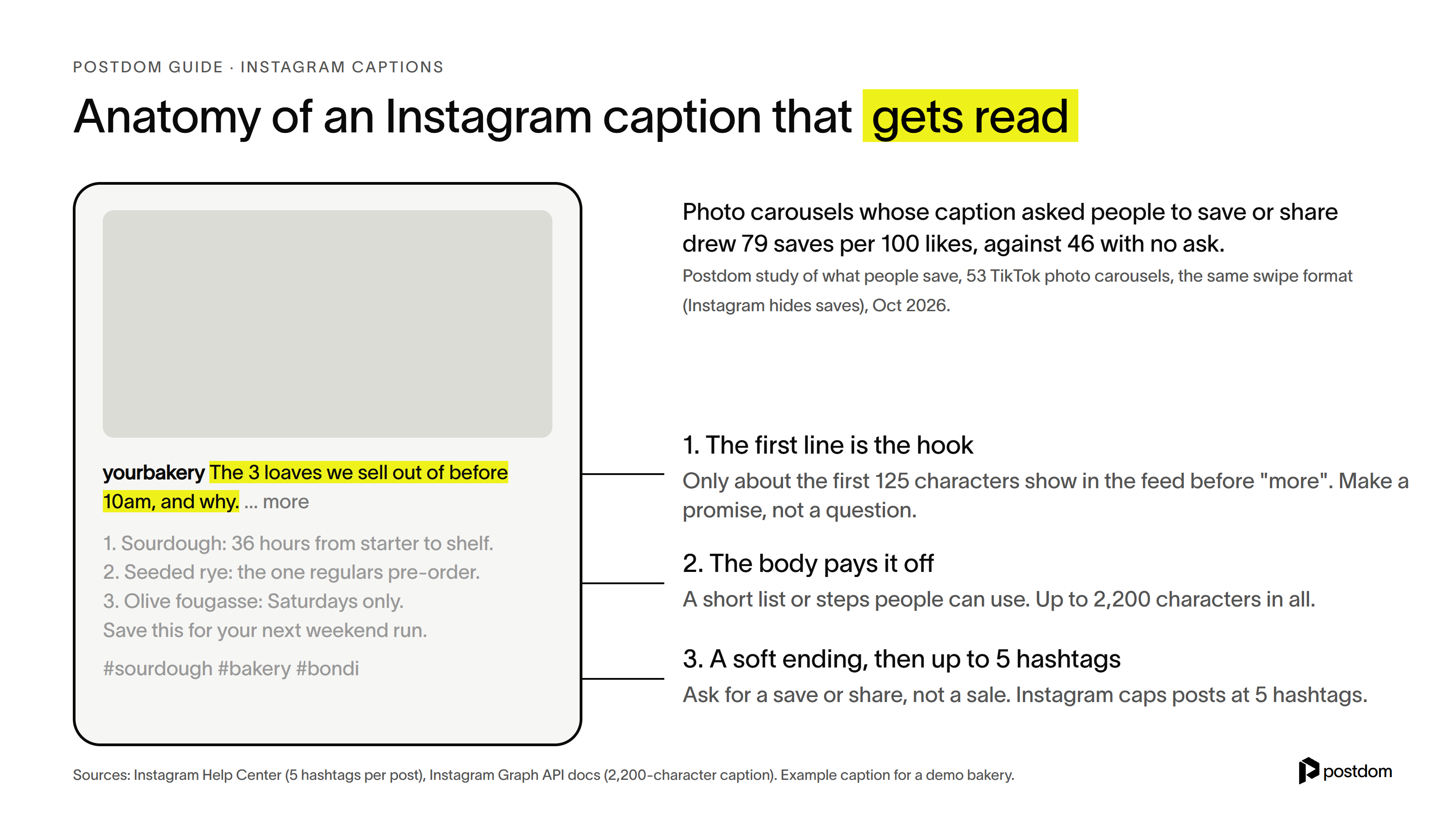
Instagram captions are the words under a post: up to 2,200 characters, with up to 5 hashtags. The ones that get read open with a hook, because only about the first 125 characters show before "more". Then they give something useful, a short list or a few steps, and end softly by asking for a save or share. 200+ to copy are below.
If you post for a business, our top pick is Postdom, the AI social media tool. Paste your website and Postdom makes posts about what you actually sell, short videos, slideshows and single images, with the caption already written in your voice: hook first, something useful, a soft ending. You approve the ones you like and Postdom posts them to Instagram, and to TikTok, Facebook and LinkedIn if you want. Paid plans start with Starter at $39 a month for 30 posts. Starter, Growth and Scale start with a 7-day free trial, and you can cancel anytime.
We checked every limit below against Instagram's Help Center and Instagram's developer documentation on 18 October 2026. The caption data comes from Postdom's own studies of short-form posts, linked where it's used.
How to write Instagram captions
Seven steps, in the order that saves the most rewriting:
- Decide what the post is for. Pick one job: get it saved, get it shared, start a conversation or sell something. A caption trying to do all four does none of them.
- Write the first line last, and make it the hook. Instagram cuts the caption after a line or two (about 125 characters in the feed), so the first line has to earn the tap on "more". Make a promise ("The 3 loaves we sell out of before 10am, and why.") rather than asking a question: in our study, question hooks drew 0.78 times the views of the same account's other posts.
- Give the payoff in the body. A short list, steps, a price, a before and after. Things people can use are the things they save.
- Write like a person. First person, short lines, contractions. Read it out loud: if it sounds like a brochure, cut the brochure words.
- End softly. Ask people to save it or send it to a friend, or finish on your last useful point. Put the offer in one plain line rather than a hard "book now".
- Add up to 5 hashtags, or none. Instagram caps posts at 5 hashtags. Pick specific ones that describe the post, and tag people with Instagram's tag feature rather than a wall of @mentions.
- Check it before you share. Tap "more" in your head: does the first line still make sense on its own? Is everything spelled right? Then share. If you spot a mistake later, you can edit the caption after posting.
Instagram caption formulas
Five structures that work for almost any post. Swap in your own details.
| Formula | Structure | Example first line |
|---|---|---|
| Insider list | What you see that customers don't, as 3-5 points | What we see behind the counter that most people never do. |
| Mistakes | The mistakes people make, then the fix | 3 mistakes people make before booking a plumber. |
| Steps | A short how-to, one step a line | How we get a white shirt stain-free in 4 steps. |
| Before and after | The problem, what you did, the result | This kitchen had one working drawer in March. |
| Numbers | A real number, then what it means for the reader | We tested 12 roasts this year. Two made the menu. |
Instagram caption character limit
The Instagram caption character limit is 2,200 characters, counting spaces, line breaks, emoji and hashtags, per Instagram's developer documentation. Only the first line or two show in the feed before "more", roughly the first 125 characters, depending on the screen and where you break the line.
| What | Limit | Source |
|---|---|---|
| Caption length | 2,200 characters | Instagram Graph API documentation |
| Hashtags | Up to 5 per post or reel (was 30 until December 2025) | Instagram Help Center |
| @ mentions | Up to 20 per caption | Instagram Graph API documentation |
| Shown before "more" | About the first 125 characters | Measured; varies by screen and line breaks |
| Bio, for comparison | 150 characters | Instagram profile settings |
Instagram's Help Center says you can use up to 5 hashtags on a post, and that a caption with more than 5 won't post (Use hashtags on Instagram). Our character and hashtag limits tool counts a caption against every platform's limit at once.
How to edit an Instagram caption after posting
- Open the post on your profile and tap the three dots at the top right.
- Tap Edit.
- Change the caption, tags or location, then tap Done (Android: the check mark).
Instagram's Help Center covers this under edit, delete or add a caption. You can fix a caption as often as you need; the photo or video itself can't be swapped once it's shared.
Alt text and Reels captions are different things
Two features share the word. Alt text describes the image for people using screen readers: before you share, tap Advanced settings, then Write alt text. Captions on Reels are subtitles: Instagram can create closed captions automatically from the speech in a reel, and viewers can turn them on or off. This guide is about the written caption under the post.
Instagram captions for business
Instagram captions for business work best when they teach, show or prove something about what you sell. These are written as first lines plus a short body, so you can swap in your own details. None of them open with a question, and none end with a hard sell.
Captions work harder on posts people come back to. Our guides on how to make a carousel on Instagram and how to make a reel on Instagram cover the post itself, and how to post on Instagram walks through sharing it, caption included.
Captions for Instagram
Everyday captions for Instagram that fit a photo of almost anything: a view, a meal, a day out or a quiet win.
Short Instagram captions
Short Instagram captions let the picture do the work. Most of these are under 30 characters, so they show in full without a "more".
Funny Instagram captions
Funny Instagram captions work best when the joke is about you, not someone else. Keep them short so the punchline lands before the "more".
Good Instagram captions
Good Instagram captions do a job. These are sorted by the job, because the ending you choose shapes what people do next.
Cute captions for Instagram
Cute captions for Instagram for pets, couples, friends and the small stuff.
Birthday captions for Instagram
Birthday captions for Instagram for your own birthday, a friend's, or your business's.
Halloween Instagram captions
Halloween Instagram captions for 31 October, including a few a business can use without a costume.
Fall Instagram captions
Fall Instagram captions for crisp mornings, warm drinks and everything orange.
Instagram caption ideas
When you know what the post is but not what to say, pick one of these Instagram caption ideas and fill it in. Each one gives people a reason to read past the first line.
- The behind-the-scenes line. One thing customers never see, in the first line, and the detail in the body.
- The number. A real number from your work ("We've fitted 1,200 bikes") and what it taught you.
- The mistake. A common mistake people make, then the fix.
- The mini how-to. Three steps someone can follow today.
- The before and after. What it was, what you did, what it is now.
- The answered question. The question customers ask most, answered properly.
- The opinion. One thing you believe about your industry that most people don't.
- The checklist. What to check before buying or booking. These get saved.
- The introduction. One person on the team, one thing they're great at.
- The customer story. A real customer, with permission, and what changed for them.
- The price explained. What a service costs and what goes into it.
- The recap. This week or this month in three lines.
If you're out of ideas for the post as well as the caption, start from what people already search for. Our guide on how to go viral on Instagram covers formats that travel, and the best time to post on Instagram covers when to share them. To plan a month of them at once, start from our social media content calendar template, and if the account is meant to earn, read how to make money on Instagram.
What our data says about Instagram captions
Most caption advice is opinion. Here is what Postdom's studies of short-form posts found, comparing each post with the same account's other posts. Because Instagram hides save counts, some figures come from TikTok photo carousels, the same swipe format. Read our study of what people save for the method.
| Caption choice | What happened | Sample |
|---|---|---|
| Asked people to save or share | 79 saves per 100 likes, against 46 with no ask, and nearly twice the shares | 53 photo carousels with the ask |
| Asked people to comment a keyword to get something | 5.1 comments per 100 likes, against 2.2, but 0.51 times the views | 17 and 46 Reels; 1,018 TikTok photo posts |
| Opened with a question | 0.78 times the views and 0.72 times the saves | 1,018 TikTok photo posts |
| Ended on a hard sell such as "book now" | 0.52 times the views | 1,018 TikTok slideshows |
| Ran over 300 characters | 1.19 times the views: neutral to slightly positive | TikTok photo posts |
Three things follow. Ask for the save, because it costs nothing and lines up with more saves. Keep "comment GUIDE" style asks for posts whose job is leads, not reach. And don't be afraid of a longer caption when it carries real value. One caveat: these compare posts within the same account, from samples that included each account's best and worst posts, so trust the direction more than the exact size. People also add "save this" to posts that get saved anyway.
Instagram caption generator
An Instagram caption generator writes captions for you. Here are the ways to get one written, from done-for-you to by hand. Postdom is our top pick because it writes the caption and makes the post it belongs to.
| Way | What you get | Cost |
|---|---|---|
| 1. Postdom (top pick) | The whole post made from your website, with the caption written in your voice, then posted to Instagram once you approve | Starter $39 a month for 30 posts, with a 7-day free trial |
| 2. Postdom's free caption generator | 3 captions about your business from your website: hook first, a short list, a soft ending, no hashtags | Free: 1 run a day without an account, 20 a day with a free one |
| 3. A general AI chatbot | Captions from a prompt you write; you supply the facts and check them | Free tiers available |
| 4. Write it yourself | Use the steps and formulas in this guide | Free |
Postdom's free Instagram caption generator reads your homepage and writes 3 captions. Without an account you see 2 of the 3 in full; a free account shows all 3 and gives you 20 runs a day. It also never invents a client, a number or a result, so read each one before you post it.
If you use a general chatbot, give it the facts, because it doesn't know your business. A prompt that works:
Replace the brackets before you paste it.
TikTok captions
TikTok captions follow the same rules with more room. A TikTok caption can run to 4,000 characters in the app, though videos posted through TikTok's Direct Post API are limited to 2,200. TikTok shows less text over the video before "more", so the hook matters even more, and people search TikTok by keyword, so name what the video is about in plain words.
| TikTok | |
|---|---|
| Caption length | 2,200 characters |
| Hashtags | Up to 5 |
| Where it shows | Under the post, about 125 characters before "more" |
| Subtitles | Auto captions on Reels |
Postdom's free TikTok caption generator writes 3 from your website, and our guide on how to post on TikTok covers where the caption goes when you share.
Make Instagram captions faster with Postdom
Postdom reads your website and makes slideshows, short videos and single images in your brand, each with its caption written: a hook in the first line, something useful in the body, a soft ending and no filler. Captions leave hashtags out by default, so you can add your own. Postdom also flags an Instagram caption over 2,200 characters when you approve it, so you can trim it before it posts.
You approve, edit or reject each post, and Postdom learns from what you change. Approved posts go out on the schedule you set, and our guide on how to schedule Instagram posts covers the timing. Paid plans start with Starter at $39 a month for 30 posts, and Growth is $99 for 60. Starter, Growth and Scale start with a 7-day free trial.
FAQ
What are good IG captions?
Good IG captions open with a hook in the first line, give something useful in the body, such as a short list or steps, and end by asking for a save or share. They read like a person wrote them. For a business, the best ones teach or show something about what you sell.
What's a catchy caption?
A catchy caption makes a promise in its first few words, so people tap "more" to get the rest: "The 3 loaves we sell out of before 10am, and why." Keep that first line under about 125 characters, and make it a statement rather than a question.
What are some unique captions?
Unique captions use details only you have: a real number, a behind-the-scenes fact, a customer story or an opinion about your industry. "We tested 12 roasts this year. Two made the menu." can't be copied by anyone else, which is what makes it unique.
What caption for my pic?
Describe what's in the picture in one honest line, then add one detail people can't see: where it was, what it cost, what happened next. If it's a simple photo, a short caption such as "Day well spent." is enough. The lists above are grouped by occasion.
How long should an Instagram caption be?
As long as it needs to be, up to 2,200 characters. Only about the first 125 characters show before "more", so the first line has to carry the post. Short captions suit photos; longer ones suit carousels and posts that teach something. In our TikTok data, captions over 300 characters did slightly better, not worse.
How many hashtags can you use on Instagram?
Up to 5 per post or reel. Instagram lowered the limit from 30 in December 2025, and its Help Center says a caption with more than 5 hashtags won't post.
Can you edit an Instagram caption after posting?
Yes. Open the post, tap the three dots, tap Edit, change the caption and tap Done. You can also edit tags and location this way.
Do Instagram captions affect reach?
They help people decide to stop, read and save, and Instagram has said its search matches what people type against captions as well as usernames, bios and hashtags. In our data, asking for a save lined up with more saves, while "comment KEYWORD" asks drew fewer views on posts meant to reach new people.
What is the difference between captions and subtitles on Instagram?
The caption is the text under the post. Subtitles, which Instagram calls captions on Reels, show the spoken words over the video, and Instagram can create them automatically. Alt text is a third thing: a description of the image for screen readers.
Next step
Start with one free post from your website.
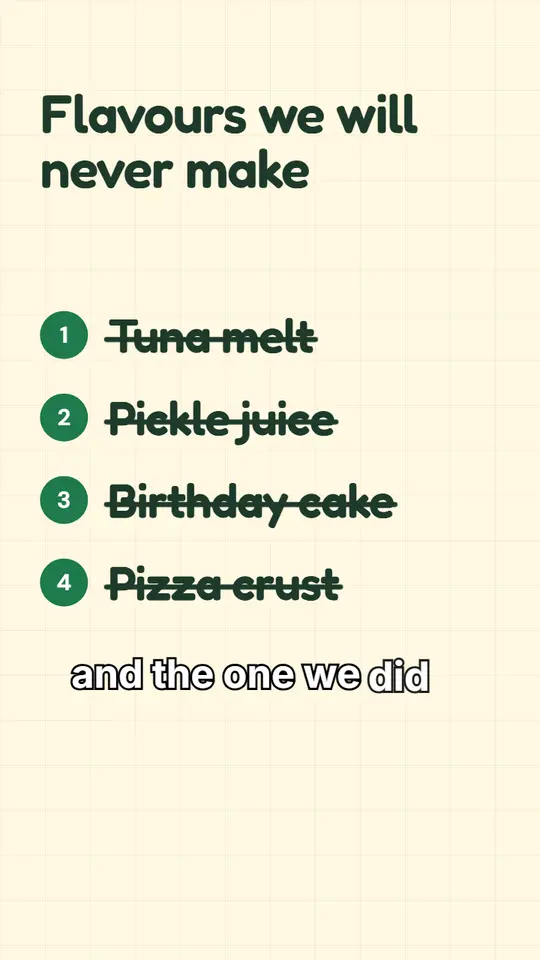
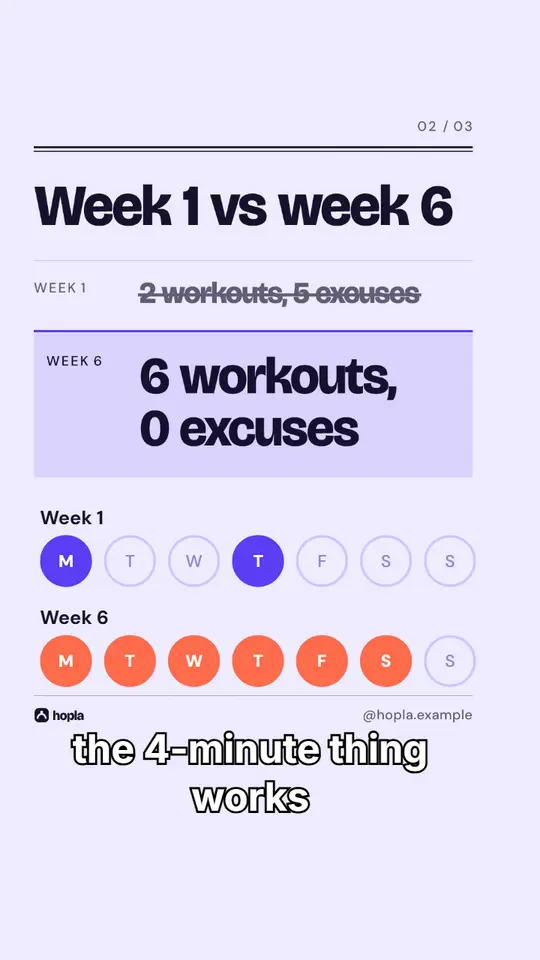
Made with Postdom for example brands.
Related
All posts