Social media approval workflow: 5 steps and a free template


On this page
A social media approval workflow is the path every post takes from draft to published. Someone drafts it, someone else reviews it, changes go back to the author, one approver signs off, and only then is it scheduled. Writing the workflow down stops posts going live with a wrong price, an expired offer or a misspelled product name.
Postdom, the AI social media tool, runs this workflow for you: it reads your website, makes posts in your brand, and only publishes the ones someone on your team approves. Starter is $39 a month for 30 posts on 3 accounts, and Starter, Growth and Scale start with a 7-day free trial.
What is a social media approval process?
A social media approval process is the agreed set of checks a post must pass before it is published, and the people who make each check. It answers three questions: who can publish, who has to say yes first, and what happens when the answer is no.
The process matters most when more than one person touches a post: an agency and its client, a marketer and a founder, or a team in a regulated industry where a claim needs sign-off. It also matters once AI writes your drafts, because posts arrive faster than anyone can check them casually.
Social media approval workflow steps
Five steps cover almost every team. Keep them in this order, and keep each one short.
- Draft. The author writes the post against a brief: the goal, the offer, the platform and the date it should go out.
- Review. A reviewer checks the post in context: the account it goes to, how it looks on that platform, the caption, the image and the time.
- Edit. If something is wrong, the reviewer asks for a specific change, not "make it pop". The author fixes it and sends it back once.
- Approve. The approver says yes to that exact version. If the post changes after approval, it goes back for review.
- Schedule and check. The approved post is scheduled, and someone checks that it actually published on each account.
Small teams can merge review and approval into one step with one person. Teams with clients or legal checks usually keep them separate.
Who approves what: roles
Most approval delays come from unclear roles, not slow people. Name each role once:
- Author: writes or generates the post and fixes requested changes.
- Reviewer: checks brand voice, facts, prices and links. Often a marketer or editor.
- Approver: gives the final yes. Usually the owner, the client or the head of marketing. One approver per post avoids two people waiting on each other.
- Compliance or legal: only for posts with regulated claims, such as health, finance or prices with conditions.
Give every approver a backup for holidays, and agree how quickly approvals should come back, such as within one working day. A post still waiting when its slot arrives is the most common way approval workflows fail.
Social media approval process template
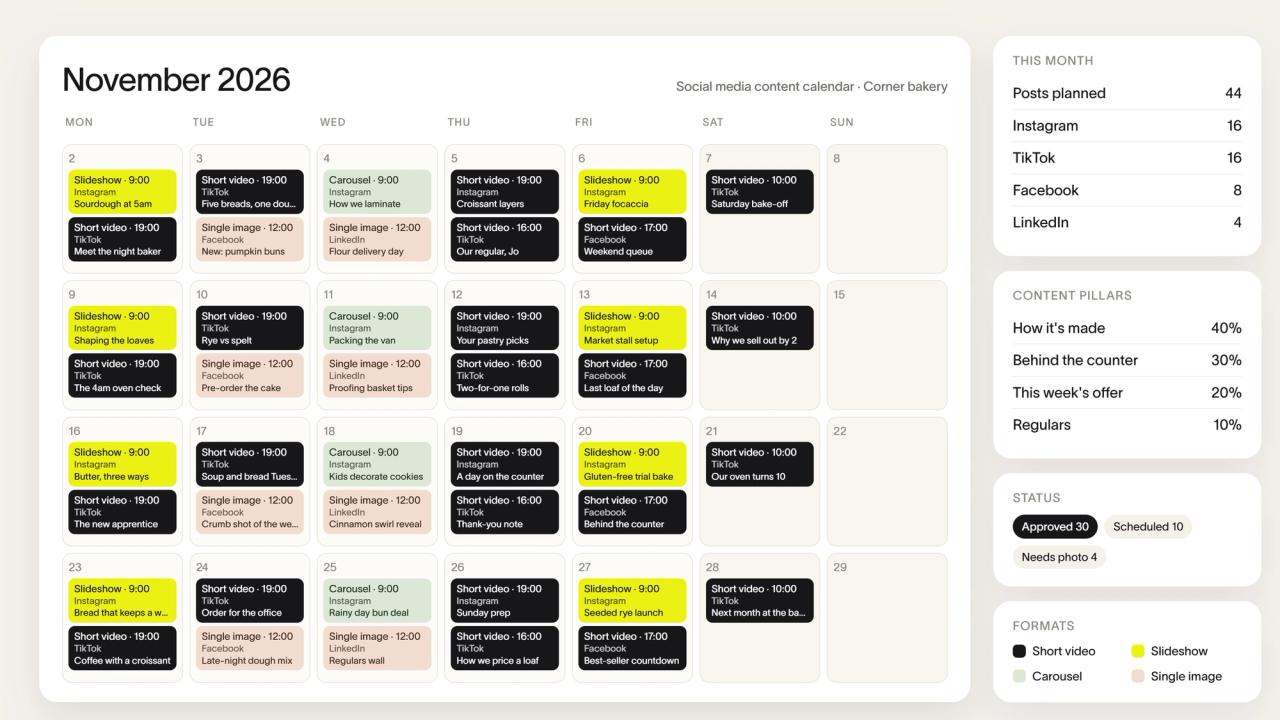
Copy this free template into a doc or spreadsheet and put a name next to each owner. Plan the posts themselves in a social media content calendar template.
| Step | Owner | What to check | Done when |
|---|---|---|---|
| 1. Draft | Author | Goal, offer, platform and date match the brief | Draft is ready for review |
| 2. Review | Reviewer | Facts, prices, links, spelling, image and brand voice | No open comments, or changes requested |
| 3. Edit | Author | Every requested change is made once | Post is back with the reviewer |
| 4. Approve | Approver | The exact final version, account and time | Approved, or rejected with a reason |
| 5. Schedule and check | Author or approver | The post published on every account | Live post checked |
Add a deadline column if you post daily, and a compliance row only for posts that need one.
Approvals for AI-written posts
AI makes drafting fast, so review becomes the step that protects your brand. Check AI-written posts for the things AI gets wrong most: prices, dates, product names, claims you can't back up, and images that don't match what you sell.
Approve the exact version that will publish. If a post is regenerated or edited after approval, review it again. Some platforms also ask you to label realistic AI-made content, so check each platform's own rules before you approve.
In Postdom, approval checks the version you saw, and a stale approval is refused if the content changed. Agents can add posts through Postdom's MCP server or REST API, but agent credentials can't approve work: a person on your team does.
Social media approval tool
A social media approval tool keeps the workflow in one place instead of email threads and screenshots. Look for a review queue, approve, reject and request-changes actions, reminders before a post's scheduled time, bulk approval, and a check that the approved version is the one that publishes.
Postdom is social media approval software with those parts built in. Workspace owners, admins and members can approve posts, request changes or reject them, one at a time or in a batch. Pending posts can get email reminders 24 hours and 1 hour before their scheduled time. Instead of reviewing every post, you can approve one plan that covers selected accounts, a time window and a maximum number of posts.
Reviewers sign in to the workspace, so plan seats for them: Starter includes 2 seats and Growth includes 10.
Social media approval workflow: questions
What is a social media approval process?
It is the agreed set of checks a post passes before it is published, and who makes each check: usually draft, review, edit, approve and schedule.
How many approval steps should a post have?
For most small teams, two: one review and one final approval, and one person can do both. Add a compliance step only for posts with regulated claims. More steps mostly add waiting.
Can clients approve posts without an account?
Not in Postdom. Reviewers sign in to the workspace, so invite the client as a member. Starter includes 2 seats and Growth includes 10.
What is the 5:3:2 rule for social media posts?
It is a content-mix guideline: out of every 10 posts, 5 share other people's content, 3 are your own content, and 2 are personal posts that show the people behind the brand. It is a rule of thumb, not a platform rule.
Can an AI agent approve its own posts?
Not in Postdom. Agent credentials can add posts, but they can't approve them, change account rules or approve their own plans. A person on your team makes those decisions.
What happens if a post changes after it was approved?
It should be reviewed again. In Postdom, approval is tied to the version you saw, so an approval for older content is refused.
Next step
Start with one free post from your website.

Made with Postdom for example brands.
Related
All posts