Research
How many followers on TikTok to go live (2026 rules and steps)


On this page
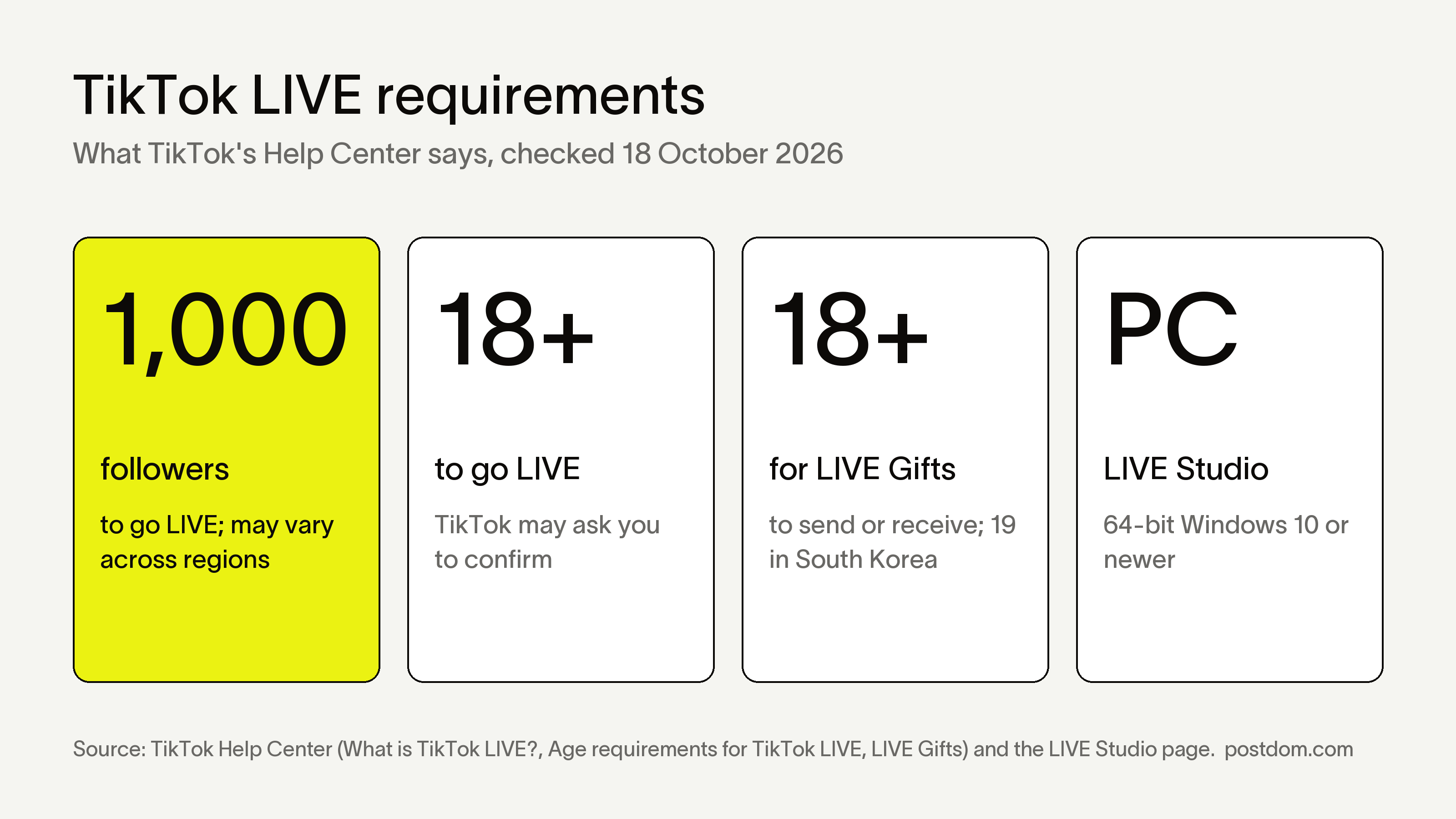
How many followers on TikTok to go live: 1,000. TikTok's Help Center says you need 1,000 followers to go LIVE, a number that "may vary across regions", and you must be at least 18. To send or receive Gifts during a LIVE you also need to be 18 (19 in South Korea). Once you qualify, tap +, choose LIVE and tap Go LIVE.
The hard part is the 1,000 followers, and that is where our top pick for businesses, Postdom, the AI social media tool, comes in. Paste your website and Postdom makes TikTok slideshows and short videos in your brand, then posts the ones you approve on a steady schedule, at 9am and 7pm in your time zone by default. It keeps the posting going while you build to 1,000. Paid plans start with Starter at $39 a month for 30 posts. Starter, Growth and Scale start with a 7-day free trial, and you can cancel anytime.
We checked every rule below against TikTok's own Help Center, What is TikTok LIVE?, its age and Gifts pages and the LIVE Studio download page, on 18 October 2026. Older guides that say 16 are out of date.
How many followers on TikTok to go live
The official number is 1,000. TikTok's help page lists three rules for hosting a LIVE: be at least 18, have 1,000 followers, and follow the Community Guidelines and Terms of Service. The follower rule comes with a note that it "may vary across regions", and TikTok adds that LIVE and Gift features "aren't currently available everywhere".
TikTok doesn't publish a list of countries with a different number. Reddit threads and creator videos report accounts going LIVE with 50, 100 or 500 followers. We couldn't confirm any of them with TikTok, so treat a lower number as a regional exception, not a rule you can plan around. If the LIVE option isn't on your create screen, assume the 1,000 rule applies to you.
The same 1,000 also opens some of TikTok's money features. LIVE Gifts need you to be eligible to go LIVE, and TikTok Shop affiliate in the US starts at 1,000 followers too. Our guide on how to make money on TikTok lists every program and the followers each one needs.
TikTok live requirements
Here are TikTok's LIVE requirements in one place, with the page each one comes from.
| Requirement | Rule | Source |
|---|---|---|
| Followers to go LIVE | 1,000 followers; "may vary across regions" | What is TikTok LIVE? |
| Age to go LIVE | 18 or older. TikTok may ask you to confirm your age first | Age requirements for TikTok LIVE |
| Age for Gifts | 18 or older to send or receive Gifts (19 in South Korea) | What is TikTok LIVE? |
| Turning on LIVE Gifts | Live where Gifts is available, be 18+ (19 in South Korea), be eligible to go LIVE, and keep the account in good standing | LIVE Gifts on TikTok |
| Accounts that can't collect Diamonds | Government, politician, political party and other public interest accounts | LIVE Gifts on TikTok |
| Where | LIVE and Gifts aren't available everywhere | What is TikTok LIVE? |
| Rules during a LIVE | Community Guidelines and Terms of Service apply | What is TikTok LIVE? |
| Going LIVE from a computer | LIVE Studio, 64-bit Windows 10 or newer, with LIVE access | LIVE Studio download page |
Sources: TikTok Help Center, What is TikTok LIVE?, Age requirements for TikTok LIVE and LIVE Gifts on TikTok, plus the LIVE Studio download page, all read on 18 October 2026.
How to go live on TikTok
Once your account qualifies, these are the steps from TikTok's help page, in the phone app:
- Tap Add post. Tap the + button at the bottom of the TikTok app.
- Choose LIVE. Tap LIVE at the bottom. You may need to scroll across the options to find it.
- Set up your LIVE. Add a title, use LIVE tools such as effects, or adjust your LIVE settings. This is also where you turn LIVE Gifts on or off.
- Confirm your age if asked. TikTok may ask you to confirm you're 18 or older before your first LIVE. Follow the steps on screen.
- Tap Go LIVE. Your LIVE starts. To change tools or safety settings during it, tap More, then Settings.
- End the LIVE. Tap End LIVE at the top, then End now.
A few habits make the first LIVE easier. Tell your followers when you'll be on in a normal post a day or two before. Set a phone on a tripod at eye level near a window or a lamp. Plan three things to talk about, so a quiet start doesn't throw you. Our guide on the best time to post on TikTok helps you pick a slot when your audience is around.
How old do you have to be to go live on TikTok
You have to be 18 or older to go live on TikTok. TikTok's age requirements page says it decides LIVE eligibility on your confirmed age:
- If TikTok confirms you're over 18, you can go LIVE.
- If it can't confirm your age, you can't go LIVE.
- If it confirms you're under 18, you can't use LIVE or other features with a higher minimum age.
- If it confirms you're under 13, the account is removed.
When TikTok asks you to confirm your age, it offers one of these, depending on where you live: a government ID with 3 selfies, a selfie with ID through its partner Incode, a credit card authorization (a small temporary charge that is refunded), or a facial age estimate from a live selfie. You may not be asked at all, depending on your location or if you've confirmed before.
Sending or receiving Gifts during a LIVE also needs you to be 18, or 19 in South Korea. Several popular guides still say 16 to go LIVE. That was an older rule, and TikTok's help pages now say 18.
How to get live access on TikTok
There is no form to apply for LIVE on the phone app. The option appears on your create screen once your account meets the rules. To get LIVE access on TikTok:
- Reach 1,000 followers, or the number for your region if it differs.
- Be 18 or older and have the right birthday on your account, so the age check can pass.
- Keep your account in good standing. Follow the Community Guidelines. Accounts with violations can lose access to features, and Gifts need an account in good standing.
- Update the app, then tap + and scroll across the bottom options to look for LIVE.
- On a computer, TikTok's LIVE Studio page has a "No LIVE access yet? Get access" link for creators who want to stream from a PC.
How to go live on TikTok without 1000 followers
You can't host your own LIVE without meeting the follower rule for your region. You can still be on a LIVE, and you can still build toward 1,000:
- Join someone else's LIVE as a guest. TikTok's multi-guest page says viewers can request to join: during the LIVE, tap Multi-guest at the bottom, then Request. Once the host accepts, adjust your video settings and tap Go LIVE. TikTok notes that the option "may not be available for everyone's LIVE", and it doesn't state a follower minimum for guests.
- Accept an invite. A host can invite friends or other creators. Tap Accept on the invitation, set up your camera and tap Go LIVE.
- Skip the "report a problem" trick. Some guides tell you to ask support for LIVE access. It isn't a TikTok feature, and nothing on TikTok's help pages says it works.
- Don't buy followers. TikTok's Community Guidelines don't allow buying or selling followers, and TikTok removes fake followers when it finds them. Bought followers also never watch your LIVE.
The reliable route is posting until you get there. The plan below is how.
How to go live on TikTok on PC
To go live on TikTok from a computer, use LIVE Studio, TikTok's own desktop app for LIVE. TikTok's LIVE Studio page says any LIVE creator can use it if they meet the access requirements. It's similar to OBS, but made by TikTok, and you log in with your TikTok account.
- Download LIVE Studio from TikTok's LIVE Studio page. It supports 64-bit Windows 10 and newer.
- Install it and log in with your TikTok account.
- Set up your scene. Add your camera, your screen or a game, and widgets such as a countdown or viewer ranking.
- Go LIVE. Comments, Gifts and new followers show in real time, and LIVE Analytics shows how it went afterwards.
TikTok lists these minimum specs for LIVE Studio: an Intel Core i3 9th Gen or AMD Ryzen 5 3000 series processor, an NVIDIA GeForce GTX 10 series or AMD Radeon graphics card, 8 GB of memory, 1 GB of storage and DirectX 11. Gaming LIVEs need more.
Why can't I go live on TikTok
If the LIVE option is missing or greyed out, check these in order:
| Reason | What to do |
|---|---|
| Under 1,000 followers (or your region's number) | Keep posting; join LIVEs as a guest meanwhile |
| Under 18, or age not confirmed | Complete the age check when TikTok asks; under 18 can't host |
| LIVE not available where you are | TikTok says LIVE isn't available everywhere; there's no workaround |
| Account not in good standing | Follow the Community Guidelines; check notifications for any violation |
| App out of date | Update TikTok, then tap + and scroll across the bottom options |
| Looking in the wrong place | LIVE sits among the options at the bottom of the create screen, sometimes off to the side |
If none of these fits, TikTok's help center lets you report a hosting problem from the app: tap Need more help? at the bottom of a help article and follow the steps.
How to get to 1,000 followers on TikTok faster
No one can give you a date, and we don't have data on how long it takes. What we do have is what makes accounts get watched and followed. These steps come from our study of 1,272 short videos from 160 accounts and 1,018 TikTok photo slideshows from 129 accounts (October 2026):
- Pick one subject and say it in your bio. People follow a promise. A row of posts about one thing tells a new viewer what they'll get.
- Open on a promise, not the answer. Slideshows whose first slide opened a loop drew 2.84 times the account's usual views. Ones that gave the answer away drew 0.46 times.
- Run a series. Hooks marked "Part 2" or "Part 3" drew 2.6 times the usual views, from 23 posts. A series is a reason to follow.
- Show the same face or place. The account's usual face drew about 40% more views than its other videos.
- Make posts worth saving. Slideshows built to be kept, with steps, prices or a checklist, drew 3.13 times the usual views.
- Post on a schedule. TikTok's own advice is to post high-quality content regularly. Judge each post in its first week, because most of a post's views come in its first days.
Small accounts can break out. In Postdom's September 2026 scan of top TikTok posts, 7 of the 41 posts from accounts with under 1,000 followers passed 1 million views. Those were top search results, so they show what's possible, not what's typical. For the full method, read how to get more followers on TikTok and how to get more views on TikTok. Our TikTok trends page shows what's working this week, and how to make a slideshow on TikTok covers the format that's quickest to make.
Get to 1,000 followers with Postdom
Steady posting is the part most accounts drop. Postdom reads your website and makes TikTok slideshows and short videos in your brand, with your colours, fonts and logo. Its slideshows follow the rules above: a first slide that opens a loop, then one point per slide.
You approve, edit or reject each post, and Postdom learns from what you choose. Approved posts are scheduled at 9am and 7pm in your time zone by default, and the same posts can go to Instagram, YouTube, Facebook and LinkedIn. Starter is $39 a month for 30 posts on 3 accounts, about one a day. Starter, Growth and Scale start with a 7-day free trial, and you can cancel anytime.
Postdom handles the posts between LIVEs. The streaming itself is yours: when you hit 1,000, the steps above get you on air.
What to do on your first TikTok LIVE
For a business, a first LIVE works best when it has one job. Ideas that suit a small business:
- Behind the scenes. Show how you make the thing you sell, start to finish.
- A Q&A. Answer the questions customers ask most. Collect them in a post the day before.
- A live demo. Show one product or service in use and take questions as you go.
- A how-to. Teach one thing your customers want to learn, step by step.
Turn on LIVE Gifts in the LIVE settings if you want viewers to be able to send them. Afterwards, cut the best moment into a normal post. Our guide on how to post on TikTok covers that part.
FAQ
How many followers do I need to go live on TikTok?
1,000 followers, according to TikTok's Help Center, checked 18 October 2026. TikTok says the number may vary across regions, and you also need to be at least 18.
Can I go live on TikTok with 100 followers?
Not under TikTok's published rule, which is 1,000 followers. Some users report going LIVE with fewer in certain regions, but TikTok doesn't list any, so you can't count on it. With 100 followers you can still join someone else's LIVE as a guest.
Can you go live on TikTok at 500 followers?
Usually not. The rule TikTok publishes is 1,000 followers, with a note that it may vary across regions. If the LIVE option isn't on your create screen at 500, the 1,000 rule applies to your account.
Can I go live with 20 followers?
You can't host your own LIVE with 20 followers. You can join another creator's LIVE as a guest by tapping Multi-guest, then Request, if the host allows guest requests. TikTok doesn't state a follower minimum for guests.
How old do you have to be to go live on TikTok?
18 or older. TikTok may ask you to confirm your age with an ID and selfies, a selfie with ID, a credit card authorization or a facial age estimate. You must be 18 (19 in South Korea) to send or receive Gifts.
Can you go live on TikTok on a computer?
Yes, with LIVE Studio, TikTok's desktop app. It runs on 64-bit Windows 10 and newer, and you need LIVE access on your account to use it.
Why can't I go live on TikTok with 1,000 followers?
Check your age is confirmed as 18 or older, that LIVE is available where you live, that your account is in good standing and that the app is up to date. Then tap + and scroll across the bottom options to find LIVE.
How long does it take to get 1,000 followers on TikTok?
There's no fixed time, and we don't have data on it. Accounts that post one subject as a series, open on a promise and post on a schedule give viewers the most reasons to follow.
Can Postdom go live on TikTok for me?
No. Postdom doesn't stream LIVE. It makes TikTok slideshows and short videos from your website and posts the ones you approve, which helps you post steadily while you build to 1,000 followers. Starter is $39 a month for 30 posts.
Next step
Get a slideshow or short video made for your business.
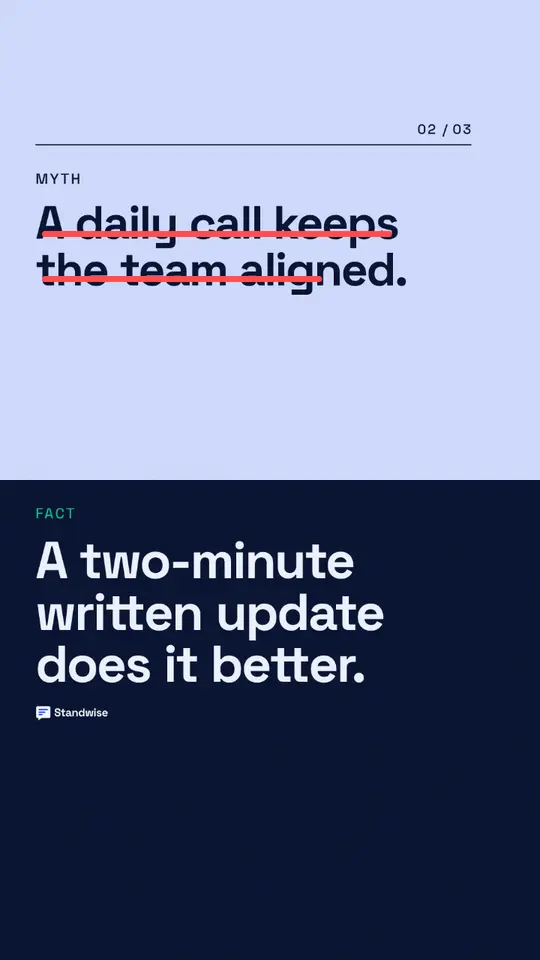
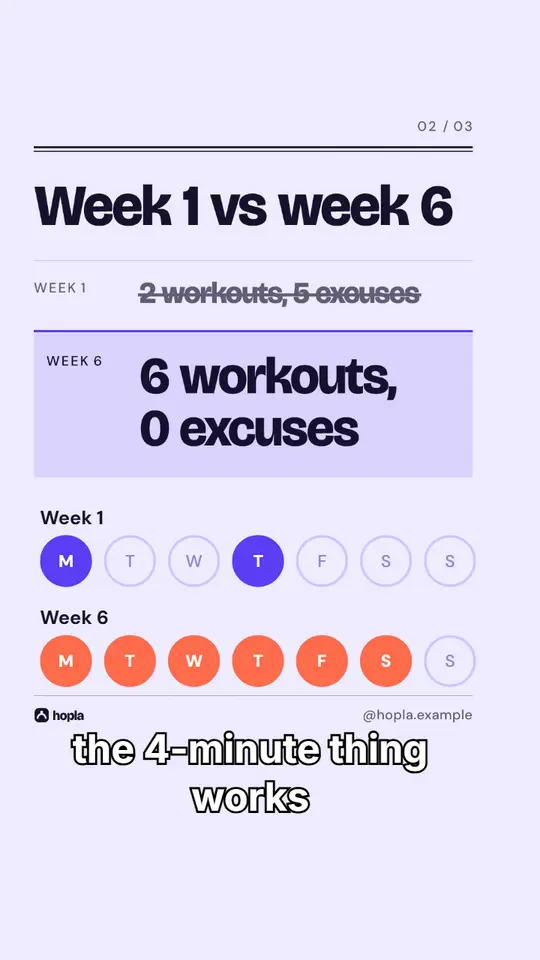
Made with Postdom for example brands.
Related
All posts