
Your website in, a scheduled month out
AI content calendar: finished posts from your website, scheduled at 9am and 7pm
Paste your website and this AI content calendar fills your month with finished posts: short videos, slideshows and images about your business. Approve one and it takes the next free slot, up to two a day per account at 9am and 7pm your time.
An AI content calendar plans what to post and when, then fills each slot. Postdom is an AI social media tool that turns your website into short videos, slideshows and posts, then publishes them. It makes the posts from your website through the month and schedules each one you approve at 9am or 7pm by default.
Posts that filled sample businesses' calendars
A calendar is only as good as what goes in each slot. These are finished posts Postdom made from sample business websites, mixing short videos, slideshows and single images the way a month does.

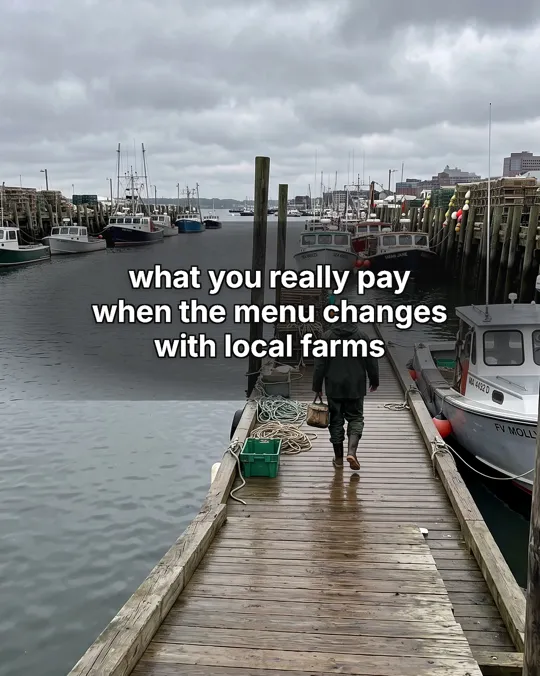

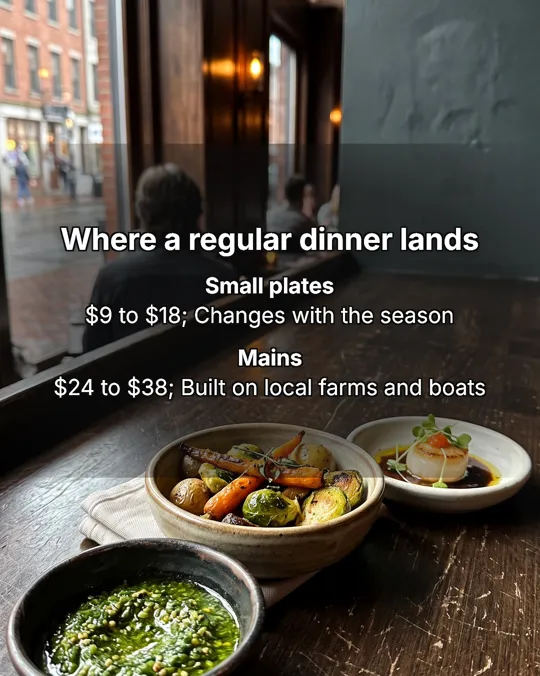
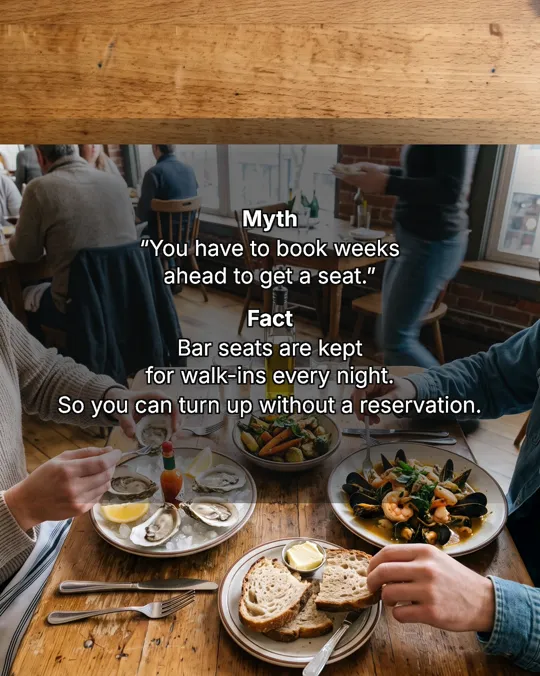


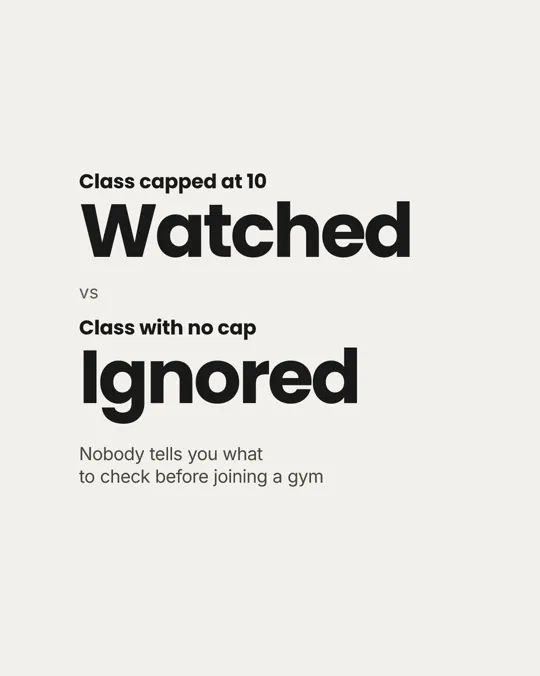




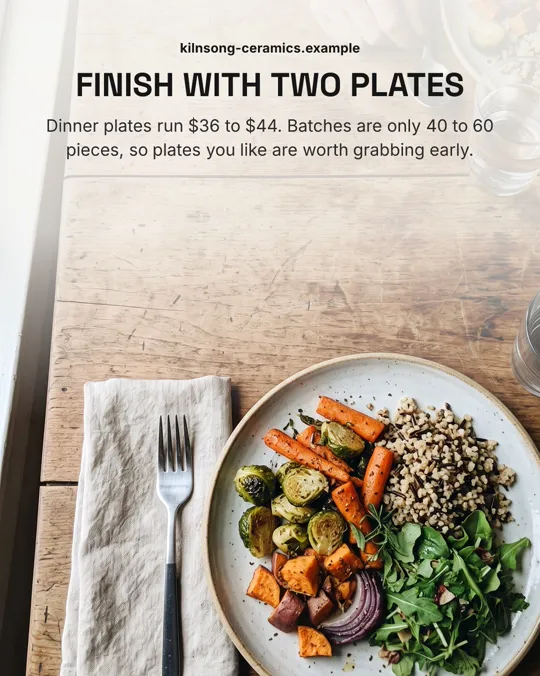









Real Postdom posts for sample brands, which aren't real businesses. Clips and photos are licensed stock or made with AI, as in the product.
How the AI content calendar works
Most calendars give you dates and topics. This one gives you the posts, already made, in the slots.
Paste your website address.
Postdom reads your main pages and keeps the facts worth posting: what you sell, prices, your area, the questions customers ask and anything seasonal.
It plans a mix through the month.
Short videos, slideshows and single images, rotated so two posts in a row are rarely the same kind, with topics spread across what you sell.
Each post arrives finished.
Words, pictures or clips, and the caption. Nothing in the calendar is a placeholder for you to fill in.
Approve, and it is scheduled.
Each approved post takes your next free slot: by default two a day per account, at about 9am and 7pm in your workspace's time zone, and never between 10pm and 7am. By default nothing posts until someone on your team approves it. If you approve 9 of your last 10 posts of one type without edits, Postdom can offer to post that type without review, and you decide.
Example: one slot in a gym's month, filled
Ironleaf Strength Club is a sample strength gym in Denver. This short video is one finished slot in its month: Postdom built it around the gym's free first class and wrote a caption for each platform.
| On the website | In the post |
|---|---|
| Located in Denver, Colorado; free first class for new members | Hook: "denver gym gives new lifters a free class" |
| Coached group classes: up to 10 people a class | "max 10 per class" |
| Drop-in class: $25 | "$25 drop-in after" |
| Call to action: book a free first class | Last line: "see caption", where the caption picks up the offer |
Nothing in the slot is a placeholder. Approve it and it posts at that slot's time; reject it and the slot gets another post.
Paste your website, get a content calendar
If you asked an AI chat for a tool that takes your website and plans your social media for the month, this is what that looks like when the posts get made too. One address in; a calendar of finished posts out.
How many posts a month depends on the plan: Starter makes 30, about one a day, and Growth makes 60, enough for two a day. The plans are on the pricing page.
AI content planner
An AI content planner decides what to say and in what order. Postdom plans from your own site, so the topics are your services, prices and questions, not a list of national days.
It keeps the balance for you: topics spread across what you sell, a different format each time where it can, and posts paced through the month rather than all on the 1st.
Content calendar generator
A content calendar generator usually hands you a grid of dates and ideas to make yourself. Postdom's free social media calendar template does that, and you can download it. This page is the version that makes each post as well.
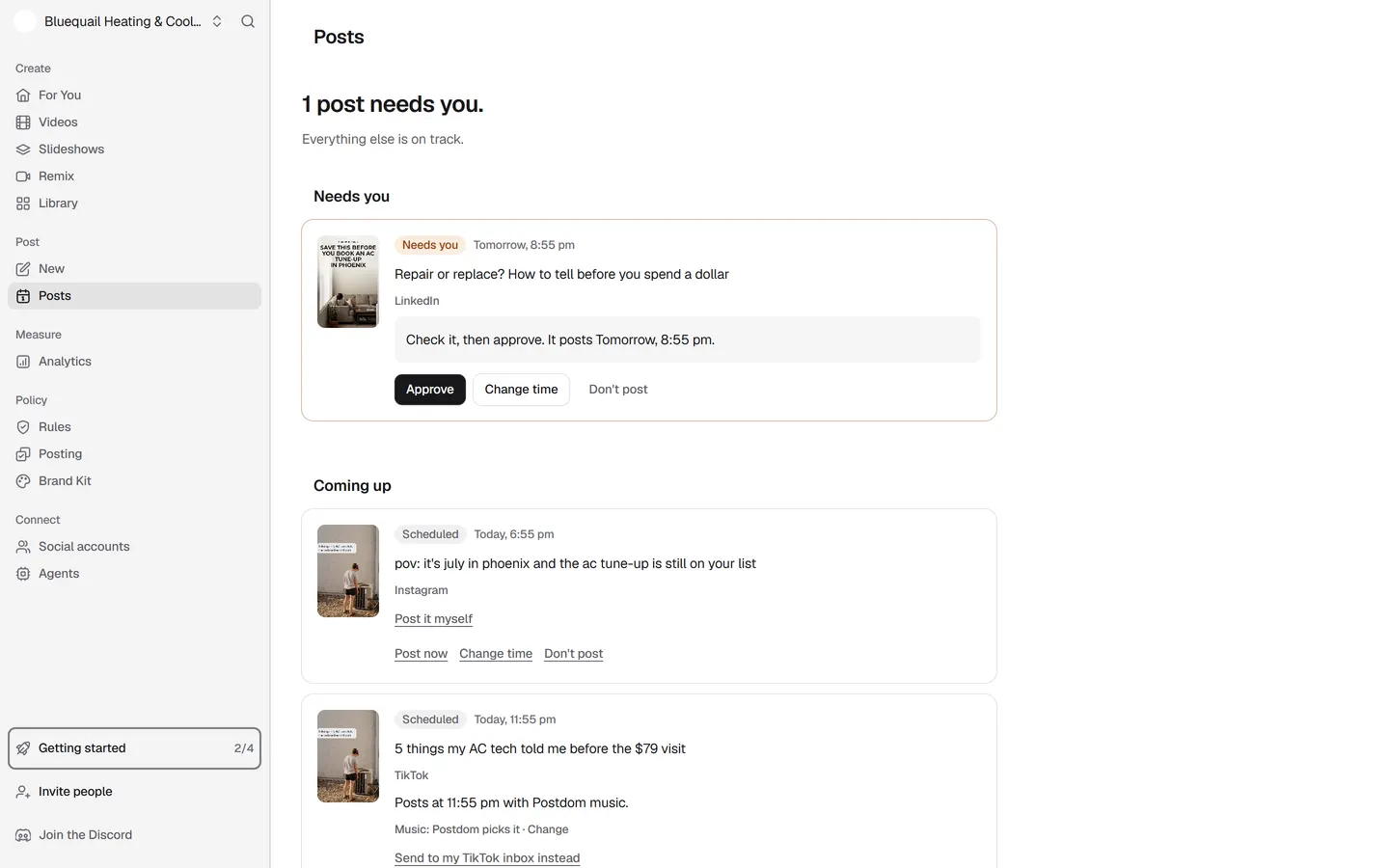
The Posts page shows what is waiting for your approval and what is scheduled, with the platform and time of each, so you can see the month at a glance.
Change the times and the pace
9am and 7pm are where Postdom starts, not a rule. Pick other times, fewer posts a day or a different overnight pause on the Posting page, and the calendar follows.
- Each account posts at most the daily number you set.
- Rejecting a post leaves its slot open for the next one you approve.
- Change time moves one scheduled post without touching the rest.
What goes into the calendar
Three formats fill the slots, each posting where that platform takes it.
| Format | What it is | Where it posts |
|---|---|---|
| Short video | Upright 9:16 video with on-screen text, clips matched to each line and music; one style adds an AI voiceover | TikTok, Instagram Reels, YouTube Shorts, Facebook Reels and LinkedIn |
| Slideshow | Swipeable photo slides with the text set the way the apps set it | TikTok, Instagram, Facebook and LinkedIn |
| Single image | One designed image, such as a price list or a this-vs-that card | TikTok, Instagram, Facebook and LinkedIn |
Questions
What is an AI content calendar?
A calendar where AI plans what to post and when. Postdom's also makes each post from your website and schedules it once you approve it, so the slots are filled with finished posts.
Is the AI content calendar free?
Yes. Your first post is made free before you add a card, and then Postdom is free for 7 days on Starter, Growth or Scale: the trial makes up to 10 posts, and a post in your calendar can be one of them. After it, Starter is $39 a month for 30 posts. Cancel anytime.
Why 9am and 7pm?
They are Postdom's starting point: at most two posts a day per account, at about 9am and 7pm, and nothing overnight. Published studies of posting times disagree by platform, so change them to suit your audience.
Does it make a whole month of posts at once?
No. Posts are made through the month, so they keep up with your site and with what you approve and reject. The slots fill as you approve.
What happens if I don't approve anything?
Nothing posts. By default every post waits for someone on your team to approve it, and an unapproved post never goes out on its own.
Can I move a post to another day?
Yes. Use Change time on a scheduled post and pick an open time; Undo puts it back where it was.
Which platforms can the calendar post to?
Short videos go to TikTok, Instagram Reels, YouTube Shorts, Facebook Reels and LinkedIn; slideshows and single images to TikTok, Instagram, Facebook and LinkedIn. Videos you upload yourself can go to every platform Postdom connects.
Is there a free template instead?
Yes. The free social media calendar template plans a month of topics for you to make yourself. The template plans; Postdom makes the posts and schedules them.
Fill your calendar from your website
Enter your address and see the posts Postdom makes for your month. Nothing is scheduled until you approve it.